

Time of day routing automatically directs incoming calls to different destinations based on a predefined schedule. You define time periods, group them into time schedules, map those schedules to partitions or routing entries, and the switch or cloud engine selects the correct route at call time. The result: calls reach the right destination without manual intervention, regardless of when they arrive.
Three use cases drive most deployments:
- After-hours handling: Divert calls outside business hours to voicemail, an on-call mobile, or a managed answering service.
- Overflow routing: Send calls to a secondary queue or external number when the primary destination is unavailable during peak periods.
- Deny/permit patterns: Block outbound routes (international, premium-rate) outside defined windows to reduce toll fraud exposure.
Key takeaways
Effective time of day routing requires correct time-zone configuration, split overnight periods, a tested failover chain, and a maintenance discipline that survives BST transitions and staff changes.
| Point | Details |
|---|---|
| Split overnight spans | A single time period cannot cross midnight; create two periods (e.g. 22:00–23:59 and 00:00–04:00) and group them into one schedule. |
| Set Europe/London, not UTC | On CUCM, assign the Europe/London time zone to each partition so BST transitions are handled automatically without manual schedule edits. |
| Build a failover chain | Configure on-call mobile → managed answering service → structured voicemail; a single after-hours destination is a single point of failure for leads. |
| Audit quarterly | Review all time schedules and partition assignments every quarter; stale schedules from decommissioned services cause silent misrouting. |
| Captasolutions as after-hours destination | Route after-hours calls to Captasolutions for 24/7 AI answering, lead capture, and CRM-ready lead records delivered to your portal each morning. |
Table of Contents
- How does time of day routing work across common systems?
- What do you need before configuring time-based routing?
- How to configure time of day routing in Cisco CUCM
- How do hosted PBX and cloud platforms handle time-based routing?
- How to test time-of-day changes and troubleshoot failures
- Best practices and compliance for UK deployments
- Using time-of-day routing as a deliberate lead-capture strategy
- The case for treating after-hours routing as a revenue decision
- Captasolutions as your after-hours routing destination
- Sources
How does time of day routing work across common systems?
Every platform that supports time-based call routing shares the same logical building blocks, even when the terminology differs between a legacy PBX, a session border controller (SBC), and a cloud contact-centre platform.
Core components
- Time periods: A start time and end time pair, defined at 15-minute granularity on most platforms. The start time must be earlier than the end time within a single period.
- Time schedules: A named container grouping one or more time periods. The schedule is what gets assigned to a partition, routing entry, or workflow filter.
- Partitions and Calling Search Spaces (CSS): In Cisco Unified Communications Manager (CUCM), partitions are assigned a time schedule. A directory number (DN) placed in a time-restricted partition is only reachable when the schedule is active.
- Route patterns and route lists: The dial-plan objects that point calls toward a gateway, trunk, or destination. These reference partitions and are therefore subject to time filtering.
- Call routing tables (SBC): On SBCs such as the Ribbon SBC Edge, Time of Day tables define entries by time and day. A call routing entry references a table; if no entry matches the current time, the route is skipped and the next route is attempted or the call is released.
Runtime decision flow
At call time, the engine evaluates the inbound trunk, applies the time filter against the active schedule, searches the partition-filtered dial plan, and selects the first matching route. If no route matches, the call receives a "No Route to Destination" cause code or is released, depending on platform configuration.
| Component | CUCM term | SBC term | Cloud/hosted term |
|---|---|---|---|
| Time definition | Time Period | Time of Day entry | Business hours rule |
| Grouping | Time Schedule | Time of Day table | Schedule / timetable |
| Scope assignment | Partition | Call routing entry | Workflow filter |
| Fallback behaviour | No CSS match → release | No table match → next route | Outside hours → overflow |
Overnight spans require special handling. Because a single time period's start time must be less than its end time, a span such as 22:00–04:00 cannot be expressed as one period. The Cisco CallManager guide recommends splitting it into two adjacent periods (22:00–23:59 and 00:00–04:00) and grouping both into a single time schedule. The same split-period pattern applies on SBCs and most hosted platforms.
What do you need before configuring time-based routing?
Getting the preflight work right prevents the most common post-cutover failures, particularly timezone mismatches and missing feature flags.
- Confirm admin permissions. You need partition and CSS write access in CUCM, or equivalent SBC/cloud admin roles. On Avaya Communication Manager, AAR and ARS parameters must be enabled and coverage paths configured before time-of-day rules will function.
- Take a configuration backup. Capture a full backup of the dial plan before any change. On CUCM, use the Disaster Recovery System (DRS); on an SBC, export the routing configuration.
- Verify the system clock and NTP source. The routing engine evaluates time against the system clock. Confirm the PBX or SBC is synchronised to a reliable NTP server and that the clock is accurate to within a few seconds.
- Set the correct time zone. Confirm whether the system clock runs in UTC or local time, and whether partition-level time zones are configured. A system set to UTC while operations expect BST will shift every schedule by one hour during British Summer Time.
- Check licence and feature flags. CUCM requires no separate licence for time-of-day routing, but the feature must not be suppressed by a restricted feature set. Avaya requires AAR/ARS to be active.
- Define test numbers. Identify at least two test directory numbers: one that should be reachable during office hours and one that should divert after hours. You will use these to validate the configuration before cutover.
- Plan a rollback. Document the current partition-to-CSS assignments and route patterns so you can restore them quickly if a schedule misconfiguration breaks reachability.
- Plan for British Summer Time. The UK moves to BST (UTC+1) on the last Sunday of March and returns to GMT (UTC+0) on the last Sunday of October. If your system clock runs in UTC, every time period must account for this offset. Avoid hard-coding public holiday dates; instead, plan to use a central calendar override mechanism where the platform supports it.
GDPR note: When routing calls to a third-party answering service, call recordings and transcriptions may constitute personal data under UK GDPR. Confirm that the answering service processes data under an appropriate data-processing agreement and that callers are informed of recording, typically via an IVR prompt before handoff.
Pro Tip: Create a dedicated test partition and CSS that mirrors your production schedule but routes to an internal test extension. Use this to validate time-period boundaries without affecting live traffic.
How to configure time of day routing in Cisco CUCM
This sequence follows the Cisco CUCM configuration guide and applies to CUCM 10.x and later. The same logical steps apply to earlier releases, though the WebUI layout differs.
Step 1: Create time periods
Navigate to Call Routing > Class of Control > Time Period and create the following:
- OfficeHours_MF: Monday–Friday, 08:00–18:00, repeat weekly.
- AfterHours_Evening: Monday–Friday, 18:00–23:59, repeat weekly.
- AfterHours_EarlyMorning: Monday–Friday, 00:00–08:00, repeat weekly.
- Weekend_AllDay: Saturday–Sunday, 00:00–23:59, repeat weekly.
- Overnight_Late: Any day, 22:00–23:59 (for overnight-span example).
- Overnight_Early: Any day, 00:00–04:00 (paired with Overnight_Late).
Note the 15-minute granularity: valid start/end times are on the quarter-hour (08:00, 08:15, 08:30, 08:45). The overnight span 22:00–04:00 is split into Overnight_Late and Overnight_Early because a single period's start time must be less than its end time.
Step 2: Group periods into time schedules
Navigate to Call Routing > Class of Control > Time Schedule and create:
- Sched_OfficeHours: Add OfficeHours_MF.
- Sched_AfterHours: Add AfterHours_Evening, AfterHours_EarlyMorning, Weekend_AllDay.
- Sched_Overnight: Add Overnight_Late and Overnight_Early.
Step 3: Assign schedules to partitions
Navigate to Call Routing > Class of Control > Partition. Edit or create:
- PT_OfficeHours: Assign Sched_OfficeHours. Set the time zone to match the site (e.g. Europe/London).
- PT_AfterHours: Assign Sched_AfterHours. Same time zone.
Step 4: Create duplicate directory numbers
Place the same DN in both partitions with different call-forward or line behaviour:
- DN +441234567890 in PT_OfficeHours → rings the main hunt group.
- DN +441234567890 in PT_AfterHours → call-forwards to the after-hours destination (on-call mobile or answering service).
The CSS on the inbound route pattern must include both partitions in the correct search order. CUCM searches partitions in CSS order and selects the first active match.
Step 5: Verify CSS and route patterns
Confirm the inbound route pattern's CSS lists PT_OfficeHours before PT_AfterHours. During office hours, CUCM matches the DN in PT_OfficeHours and routes normally. Outside office hours, PT_OfficeHours is inactive, so CUCM falls through to PT_AfterHours and applies the after-hours behaviour.
- Confirm the partition time zone is set to Europe/London, not UTC, to handle BST automatically.
- Use translation patterns to test schedule boundaries without affecting production DNs.
- Check cause codes in CUCM's SDL/SIP logs if calls fail: cause code 3 ("No Route to Destination") indicates a CSS miss, usually a missing or inactive partition.
Pro Tip: Use the CUCM Real-Time Monitoring Tool (RTMT) to watch call-processing logs in real time during a test window. Filter on the test DN to confirm which partition is matching and whether the time schedule is evaluating correctly.
How do hosted PBX and cloud platforms handle time-based routing?
Cloud and hosted platforms abstract the partition/CSS model into simpler schedule interfaces, but the underlying logic is identical: define a schedule, assign it to a routing rule, and configure inside/outside destinations.
Voipfone and similar UK hosted PBX systems expose a weekly timetable in the web portal. Administrators set open hours per day, assign an after-hours destination (voicemail, external number, or auto-attendant), and optionally configure calendar overrides for public holidays. Changes take effect immediately without a maintenance window. The business hours rules model used by hosted VoIP providers routes calls automatically based on open/closed status, with after-hours destinations commonly including voicemail, a secondary auto-attendant, an on-call mobile, or a third-party answering service.
Twilio TaskRouter uses expression-based filters evaluated at runtime. The key attributes are taskrouter.currentTime (an integer in HHMM format, UTC) and taskrouter.dayOfWeek (an integer, 1 = Monday through 7 = Sunday). A workflow filter for UK office hours must account for the BST offset: 08:00 BST is 07:00 UTC, so the TaskRouter expression for a Monday–Friday 08:00–18:00 BST window becomes taskrouter.currentTime >= 700 AND taskrouter.currentTime < 1700 AND taskrouter.dayOfWeek >= 1 AND taskrouter.dayOfWeek <= 5 during BST, and shifts by 100 during GMT. This UTC dependency means you must update expressions at each DST transition unless you build the offset into a configuration variable.
Key insight for UK deployments: Twilio TaskRouter evaluates all time expressions in UTC. During British Summer Time (late March to late October), a UK business operating 09:00–17:00 BST must use 0800–1600 in TaskRouter expressions. Failing to update these at DST transitions is the most common cause of schedule drift on cloud platforms.
Zendesk Talk provides inside/outside schedule overflow configuration directly in the Talk settings. Zendesk's overflow configuration supports adding overflow numbers for both inside and outside business hours, with separate toggles for phone lines versus SIP-IN/digital lines. Outside-hours calls can overflow to an external number, a secondary queue, or voicemail, with the setting taking effect without a restart.
For guidance on how professional services handle call routing across these platform types, the patterns are consistent: schedule first, destination second, fallback always.
How to test time-of-day changes and troubleshoot failures
Testing before and after cutover is non-negotiable. A misconfigured schedule that silently drops calls outside office hours will not surface until a caller complains.
Test sequence
- Office-hours test: Place a call to the test DN during the active schedule window. Confirm it routes to the expected destination (hunt group, queue, or agent).
- After-hours test: Place a call immediately after the schedule closes. Confirm the call diverts to the after-hours destination. Check that the divert happens within one ring, not after a timeout.
- Overnight-span test: If you have configured a split overnight period, place test calls at 23:45 and 00:15 to confirm both halves of the schedule are active and the call routes correctly across midnight.
- Holiday override test: If a calendar override is configured for a public holiday, manually set the system date (in a test environment) or use a translation pattern to simulate the override and confirm the correct destination is applied.
- No-match test: Temporarily remove all active partitions from the CSS and confirm the call receives the expected failure treatment (busy tone, announcement, or voicemail) rather than an unhandled release.
Common errors and causes
- No Route to Destination (cause code 3): The CSS contains no active partition matching the current time. Check partition time-schedule assignments and confirm the system clock is correct.
- Timezone mismatch: Routes shift by one hour at BST transitions. Confirm partition time zones are set to Europe/London, not UTC, on CUCM. On SBCs and cloud platforms, verify the system clock offset.
- Disabled Time of Day entry: On Ribbon SBC Edge, a Time of Day table entry can be individually disabled. Check that all required entries are enabled.
- Partition not in CSS: A correctly configured partition that is absent from the inbound route pattern's CSS will never match. Audit the CSS search order after any partition change.
Useful log sources
- CUCM: SDL traces and SIP traces via RTMT; filter on the test DN and look for cause codes.
- Ribbon SBC: routing logs showing table-match results and cause codes.
- Twilio: TaskRouter event log in the Twilio Console, showing which workflow filter matched and the resulting task assignment.
- Zendesk: Talk activity log, showing overflow events and the destination applied.
Rollback: If a schedule misconfiguration breaks reachability, restore the original partition-to-CSS assignment from your pre-change backup. On CUCM, this is a configuration change that takes effect immediately without a restart.
Best practices and compliance for UK deployments
Long-term accuracy depends on maintenance discipline, not just initial configuration.
- Centralise holiday management. Avoid hard-coding public holiday dates into time periods. Where the platform supports it, integrate an iCal or calendar API so a single calendar update propagates across all partitions and routing rules. This is particularly relevant for the UK's variable bank holiday schedule.
- Version-control your dial plan. Treat time-schedule changes as code: log every change with a ticket reference, the before/after state, and the engineer who made it. CUCM's audit log captures changes, but a separate change record in your ITSM tool provides the narrative context.
- Schedule quarterly audits. Review all time schedules and partitions every quarter. Stale schedules from decommissioned services accumulate silently and can cause unexpected routing if a DN is reused.
- Restrict write access. Only nominated administrators should have write access to partitions and time schedules. On CUCM, use role-based access control to separate read-only audit roles from configuration roles. Partitions that enable international or premium-rate routes are particularly sensitive.
- Use time-based deny routes for toll fraud mitigation. Configure route patterns for international prefixes (00x, +x) to reference a partition that is only active during business hours. Outside those hours, the partition is inactive and the route is unavailable, reducing the window for after-hours toll fraud.
- GDPR and recording compliance. When calls are handed to a third-party answering service, confirm the service operates under a UK GDPR-compliant data-processing agreement. Log the handoff destination in your change record so it is auditable.
Pro Tip: After each BST transition (late March and late October), run your full test sequence against all time-scheduled partitions and cloud expressions. Set a recurring calendar reminder two days before each transition date so the check is never missed.
For a practical after-hours call checklist covering operational steps beyond the technical configuration, that resource covers the business-side preparation that complements the dial-plan work.
Using time-of-day routing as a deliberate lead-capture strategy
A routing schedule that simply rejects after-hours calls is a missed revenue opportunity. The more productive framing is to treat every after-hours call as a lead that needs capturing, not a call that needs blocking.
Decision checklist: where should the call go?
- Is there an on-call engineer or manager? Route to their mobile as the first destination.
- Is the on-call number unavailable or unanswered? Route to a managed answering service as the second destination.
- Is no managed service configured? Route to a structured voicemail with a clear callback commitment, not a generic "leave a message" prompt.
Avoid single-destination after-hours routes. A failover chain (on-call mobile → managed answering service → voicemail) reduces lead abandonment at each stage.
Example handover workflow
- After-hours call arrives and matches the AfterHours partition.
- Call routes to the managed answering service (or AI answering platform).
- The service answers in the business name, captures the caller's name, number, and enquiry type.
- The enquiry is qualified against predefined criteria (urgency, service type, geography).
- A structured lead record is created in the CRM or client portal.
- The business owner or on-call manager receives a notification with the lead summary.
- The following morning, the team begins with a prioritised list of overnight enquiries rather than a voicemail inbox.
This workflow converts after-hours routing from a cost (missed calls) into a structured lead-capture channel. For UK businesses where a significant proportion of enquiries arrive outside the 09:00–17:00 window, the commercial case for this approach is straightforward.
For practical guidance on managing out-of-hours enquiries, the operational workflow maps directly onto the routing configuration described in this guide.
The case for treating after-hours routing as a revenue decision
The conventional wisdom on time-of-day routing frames it as a technical problem: get the schedule right, handle the edge cases, and move on. That framing is too narrow.
Every after-hours routing decision is also a commercial decision. A call that hits voicemail at 18:01 and receives no callback by 09:00 the next morning is, statistically, a lost lead. The caller has already called a competitor. The routing configuration determined that outcome, not the sales team.
What most implementations get wrong is the fallback. Engineers configure the primary office-hours route correctly, then assign a single voicemail destination for everything else. That is a single point of failure for revenue. A failover chain (on-call mobile, then managed answering, then structured voicemail) costs very little to configure and changes the outcome materially.
The BST/GMT transition is the other underestimated risk. A partition set to UTC on a UK system will silently shift every schedule by one hour twice a year. The first sign is usually a complaint that calls are going to voicemail an hour early. By then, the business has already lost calls for days. Setting partition time zones to Europe/London on CUCM, and building UTC offset variables into cloud expressions, removes this risk entirely.
The engineers who get the most value from time-of-day routing are the ones who treat it as an operational system, not a one-time configuration. Quarterly audits, version-controlled changes, and calendar-integrated holiday schedules are what keep a routing design accurate over a two-to-three-year lifecycle.
Captasolutions as your after-hours routing destination
Every time-of-day routing configuration needs a reliable after-hours destination. Captasolutions gives UK businesses a 24/7 AI-powered answering service that answers in your business name, captures caller details, qualifies the enquiry, and organises leads into a client portal before your team starts the next morning.
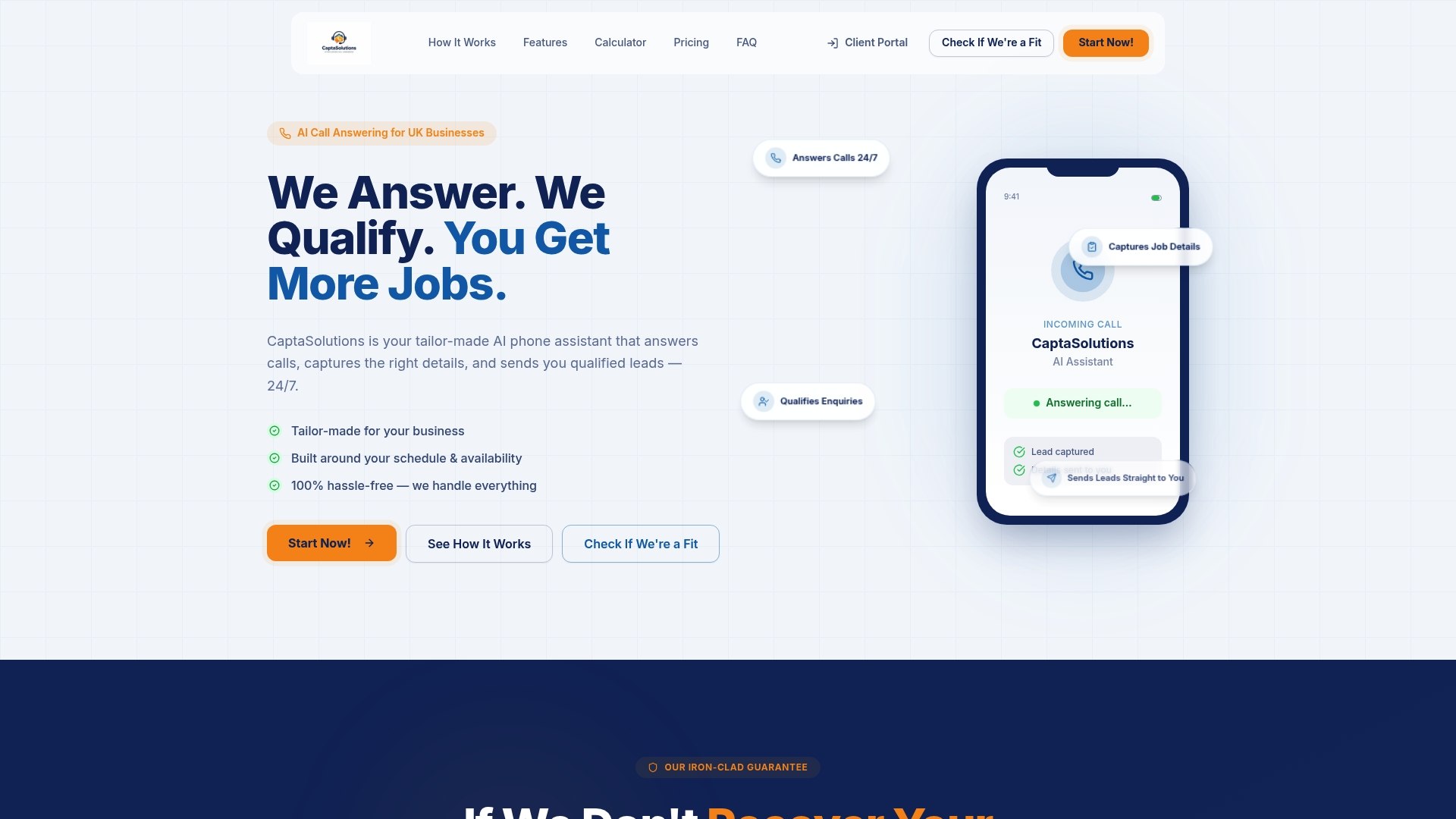
Point your after-hours partition or hosted schedule at Captasolutions as the overflow destination. Calls that fall outside your office-hours window are answered immediately, not lost to voicemail. The AI captures name, number, and enquiry type, qualifies against your criteria, and creates a structured lead record. Your team reviews the portal each morning and responds to prioritised, pre-qualified enquiries rather than a list of missed calls.
No long-term contract. No setup complexity. A free 30-day trial with no card required means you can validate the integration against your routing configuration before committing. Visit captasolutions.co.uk or call 07346 811329 to get started.
Sources
The following vendor documentation and platform references support the configuration steps and troubleshooting guidance in this guide.
- Cisco CallManager System Guide, Release 4.1(3) - Time-of-Day Routing Cisco Unified Communications Manager (CallManager) - Cisco Systems
- Time of Day Routing for TaskRouter
- Managing overflow calls and after-hours call routing - Zendesk