

The most effective way to handle peak hour booking calls is a three-layer approach: deploy immediate triage scripts and callback rules within hours, shift low-complexity appointments to online self-booking, and route overflow to an AI-powered answering service that captures every enquiry in your business name. Do those three things and you will see fewer missed bookings, a lower abandonment rate, and a measurable lift in conversions. For UK businesses that need a scalable overflow layer, Captasolutions answers every call 24/7, qualifies the enquiry, and organises leads into a client portal ready for your review.
Table of Contents
- How do you handle peak hour booking calls without losing revenue?
- Immediate actions to reduce missed bookings before the next peak
- Which bookings should you move online and how do you automate reminders?
- How do you choose between in-house cover, traditional answering services, and AI overflow?
- How do you design peak-hour call flows and escalation rules?
- How do you sync phone handling with your booking system and operations?
- How do you staff predictable peaks without burning out your team?
- Which metrics should you track during peaks?
- Pre-peak launch checklist: what to configure before the rush
- A UK salon that reduced missed bookings during peak windows
- Key takeaways
- The case for a layered approach, not a single fix
- Captasolutions: built for peak-hour call capture
- Useful sources and further reading
How do you handle peak hour booking calls without losing revenue?
The short answer: stop trying to answer every call manually and start designing a system that captures the enquiry even when your team cannot pick up. During a lunch rush or an opening-hour spike, the average caller will not wait more than a few rings before moving on to a competitor. Every unanswered call during a peak window is a booking that never happened.
Two immediate priorities stand out. First, give your staff a scripted, binary booking offer so they can close a booking in under sixty seconds rather than negotiating availability back and forth. Second, configure an overflow layer, whether a managed answering service, an AI agent, or a trained floater, so calls that cannot be answered in-house are still captured. Converting phone enquiries into bookings requires a clear call structure and an explicit close; without both, even answered calls leak revenue.
Success looks like this: your answer rate climbs high, your abandonment rate drops low, and your bookings-per-answered-call ratio improves week on week. Those are realistic targets for a small UK service business that applies the steps below consistently.
Immediate actions to reduce missed bookings before the next peak
Speed matters here. These are fixes you can put in place before tomorrow's rush, not a six-week project.
Scripted binary booking offers. Train every staff member to offer two specific time slots rather than asking "when suits you?" Research confirms that binary offers remove decision fatigue and shorten booking time significantly. A two-line prompt works well:

That single change cuts the average booking call time significantly.
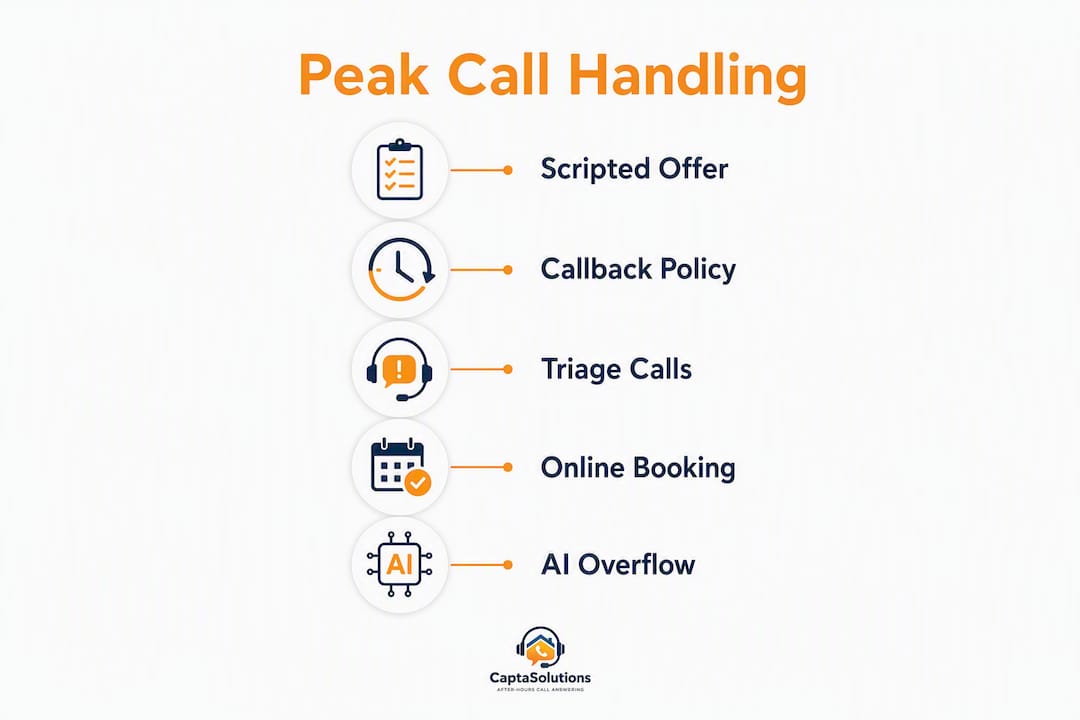
Callback policy. Set a hard rule: if a caller has been on hold for more than ninety seconds, offer a callback rather than asking them to keep waiting. Callbacks recover the enquiry without tying up a line. Best practice guidance recommends pairing callback options with clearer online self-service links to reduce repeat calls.
Online booking quick-links. Add a short URL or QR code to your voicemail greeting and any on-hold message. Callers who cannot wait will often self-book if the path is obvious and takes fewer than three clicks.
Staff focus rules during the rush. Designate one person as the sole booking handler during peak windows. Everyone else handles in-room customers or operational tasks. Split attention is the fastest route to a dropped call.
- Prepare a laminated one-page script at every phone station covering: greeting, binary booking offer, FAQ answers, and the callback trigger phrase.
- Brief staff the day before any predictable peak (Monday morning, Friday lunch, seasonal rush).
- Post the online booking link visibly at the front desk so staff can direct callers there instantly.
Pro Tip: When a caller sounds rushed or distracted, convert them to a voicemail-to-text capture immediately rather than holding the line. A short prompt works: "I want to make sure I get your details right. Can I take your name and number and call you back within the hour?" That recovers the lead without burning hold time.
For triage, qualify quickly: ask one question to separate high-value calls (new bookings, urgent issues) from routine enquiries (rescheduling, directions). Route high-value calls to your best handler; send routine enquiries to a self-service option or a callback queue. The Captasolutions guide on handling multiple booking calls simultaneously covers this triage logic in detail for UK service businesses.
Which bookings should you move online and how do you automate reminders?
Not every appointment belongs on the phone. Low-complexity, fixed-length bookings, think a 45-minute haircut, a standard boiler service, or a routine consultation, are ideal candidates for online self-booking. Complex or high-touch appointments, such as a first-time assessment, a bespoke quote, or a sensitive clinical consultation, benefit from a phone conversation where staff can qualify the enquiry and set expectations.
The rule of thumb: if the booking requires no judgement from your team and the caller already knows what they want, move it online. If the booking requires qualification, upselling, or reassurance, keep it on the phone.
Configuring your booking tool for peak throughput
Restricting bookable hours in your scheduling tool is one of the highest-leverage configuration changes you can make. An "available all day" policy fragments your team's time and creates administrative overhead that slows peak handling. Set specific bookable windows that align with your staffed hours.
Scheduling default: Switch appointment slots to 25 and 50 minutes as defaults. The automatic buffer cuts schedule overrun and makes it easier for staff to log bookings and prevent late starts in busy periods.
Additional configuration steps:
- Set a minimum notice period (two hours for same-day bookings) to prevent last-minute gaps.
- Add intake questions to the booking form so callers arrive pre-qualified.
- Enable SMS or email confirmation immediately on booking, and a reminder 24 hours before. This reduces no-shows and cuts the number of repeat 'just checking my appointment' calls during peak times.
Automated reminders are essential for busy businesses. A two-step reminder sequence — one at booking and one the day before — removes the calls that clog your lines during the morning rush.
How do you choose between in-house cover, traditional answering services, and AI overflow?
The right overflow model depends on four variables: how predictable your peaks are, how complex your calls tend to be, how tightly your brand voice needs to be controlled, and what your budget allows.
In-house surge cover works when peaks are short, predictable, and you can cross-train existing staff. The advantage is full brand control. The disadvantage is cost: a dedicated surge role is expensive for a small business, and cross-trained staff are often pulled in two directions at once.
Traditional managed answering services (human operators answering in your business name) suit businesses with complex calls that require empathy and judgement. They are more expensive per call than AI alternatives and typically operate on contracted hours, which can leave gaps outside those windows.
AI-powered overflow is the strongest fit for UK SMEs with predictable peaks, moderate call complexity, and a need for 24/7 coverage. An AI agent answers in your business name, captures caller details, qualifies the enquiry against your criteria, and routes or logs the lead for your review. After-hours booking enquiries represent a material revenue opportunity that in-house staff and contracted services routinely miss; AI coverage closes that gap.
Decision flow:
- Peaks are short and predictable, team can flex: cross-train one floater and use a callback queue.
- Calls are complex and high-value, budget allows: use a managed human answering partner for peak windows.
- Peaks are unpredictable or extend beyond hours, budget is tight: AI-powered overflow is the most cost-effective and scalable option.
For most UK trades businesses, salons, restaurants, and clinics, AI overflow covers the majority of peak call volume at a fraction of the cost of a dedicated receptionist, with no contracted hours and no gaps in coverage.
How do you design peak-hour call flows and escalation rules?
A call flow is only useful if it is written down, tested, and followed consistently. Here is a practical framework for three common peak scenarios.
Sample escalation triggers and actions
| Trigger | Action | Owner |
|---|---|---|
| Caller requests booking, slot available | Confirm booking, send SMS confirmation | Primary handler |
| Caller requests booking, no slot available | Offer binary alternative slots or online booking link | Primary handler |
| Caller has urgent issue (e.g. no-show, complaint) | Warm-transfer to manager or escalation owner | Primary handler |
| Hold time exceeds 90 seconds | Offer callback, log caller details | Any handler |
| Simultaneous calls exceed handler capacity | Route to AI overflow or voicemail-to-text | System / floater |
| After-hours call | Route to AI answering service | System |
Script templates for common branches:
Booking (slot available): "Good morning, [Business Name]. I can book you in on [Day] at [Time] or [Day] at [Time]. Which suits you?" Confirm name, number, and any intake details. Send confirmation.
FAQ: "Let me check that for you now." Consult the quick-reference sheet. Answer. If unknown: "I'll get someone to call you back within the hour with that information."
Urgent issue: "I'm going to connect you with [Name] right now. Please hold for just a moment." Warm-transfer immediately; do not leave the caller on hold unattended.
Follow-up required: "I've noted your details and someone will call you back by [specific time]. Is that number the best one to reach you on?"
Operational rules: Cap hold time at 90 seconds before offering a callback. Send a booking link via SMS when a caller cannot wait and no slot is immediately available. Review call recordings weekly to identify where callers are dropping off. The Captasolutions guide on call handling for busy professionals provides additional script templates for high-volume booking scenarios.
How do you sync phone handling with your booking system and operations?
Phone handling and your booking system need to talk to each other in real time, or you will create double-bookings and frustrated callers.

The minimum viable integration for a small UK business: your phone handler (human or AI) checks live calendar availability before confirming a slot, and any confirmed booking triggers an automatic SMS or email confirmation to the caller. A one-way sync from your booking engine to your phone handler's screen is sufficient for most operations.
For businesses using a point-of-sale system alongside a booking tool, a lightweight webhook can push availability updates to your booking page in near real time, preventing the common problem of a slot being offered on the phone that has already been taken online.
Common pitfalls to avoid:
- Double-booking caused by staff confirming a slot verbally before checking the live calendar.
- Timezone mismatches if your booking tool defaults to UTC and your staff are working in BST.
- Missing intake fields: if your booking form does not capture the same information your staff collect on the phone, you create a data gap that slows the appointment.
UK data compliance note: Call recordings and caller details are personal data under UK GDPR. Store recordings in a system with access controls, retain them only as long as operationally necessary, and ensure any third-party answering service you use processes data under a signed data processing agreement. Your client portal should log who accessed caller data and when.
How do you staff predictable peaks without burning out your team?
Peak hour traffic patterns are predictable. Most UK service businesses see spikes at opening (8–9 AM), mid-morning (10–11 AM), and lunch (12–1 PM), with a secondary peak in late afternoon. Map your own call volume by hour for two weeks and you will have a reliable baseline for rota planning.
- Identify your peak hour. Pull call logs and count inbound calls by hour. Your single busiest hour is the anchor for your rota.
- Schedule your best handler for that window. The most experienced booking agent should own the peak hour, not be pulled into other tasks.
- Stagger breaks around the peak. No breaks during the identified peak window. Schedule them immediately before or after.
- Define a float role. One person per shift whose primary job during the peak is to pick up overflow calls, not serve in-room customers.
- Build a surge pool. Identify two or three cross-trained staff who can be called in on short notice for seasonal peaks or unexpected volume spikes.
- Plan temporary cover for major peaks. For predictable seasonal rushes (Christmas bookings, January new-year enquiries), bring in temporary staff or activate your AI overflow layer at least one week before the peak begins. Operational playbooks recommend planned surge cover and metric monitoring to reduce missed opportunities during known busy windows.
- Set shift length limits. Booking call handling is cognitively demanding. Limit continuous phone handling to no more than two hours before a break; quality drops sharply beyond that.
Role definitions for peak periods: Primary handler owns all inbound booking calls. Floater picks up overflow and manages the callback queue. Escalation owner (typically a manager) handles complaints, urgent issues, and complex enquiries. Operations support handles everything else so the primary handler stays on the phone.
Which metrics should you track during peaks?
Tracking the right numbers tells you whether your peak-hour strategy is working before the problem becomes a pattern.
Priority KPIs:
- Answer rate: percentage of inbound calls answered within four rings. Target: above 90% during peak windows.
- Abandonment rate: percentage of callers who hang up before being answered. Target: below 5%.
- Average handle time (AHT): average duration of a booking call. A well-scripted booking call should run 60–90 seconds for a standard appointment.
- Bookings per answered call: how many answered calls result in a confirmed booking. Track this weekly to measure script effectiveness.
- Conversion-to-booking rate: the proportion of all inbound enquiries (answered and unanswered) that convert to a confirmed booking. This is your true capture rate.
- Revenue per call: average booking value multiplied by your conversion rate. This is the number that justifies investment in overflow solutions.
ROI example: If your average booking is worth £60 and you currently miss 20 calls per week during peak windows, recovering half of those with an overflow solution generates an additional £600 per week in potential revenue. Even a modest improvement in answer rate pays for a managed overflow service many times over.
Monitoring abandonment rates and concentrating your best staff on peak windows are two of the most direct levers for improving these numbers. Review your KPIs daily during a peak period and weekly during normal trading. A simple spreadsheet tracking answer rate and abandonment rate by hour is sufficient to start; most phone systems and booking tools export this data automatically.
Pre-peak launch checklist: what to configure before the rush
Complete these steps the day before a predictable peak. Assign a named owner to each item and sign off readiness by close of business the previous day.
- Scheduling defaults: confirm appointment slots are set to 25 and 50 minutes with automatic buffers. Restrict bookable hours to staffed windows only.
- Call flow document: print and post the current call flow script at every phone station. Confirm escalation owner is available and briefed.
- Booking tool configuration: verify intake questions are active, minimum notice period is set, and the online booking link is live and tested.
- Confirmation and reminder automation: send a test booking through the system and confirm the SMS/email confirmation arrives within two minutes. Check the 24-hour reminder fires correctly.
- Staff rota: confirm the primary handler, floater, and escalation owner are rostered for the peak window. No breaks scheduled during the peak hour.
- Overflow routing: test the overflow route (AI service, voicemail-to-text, or managed answering). Confirm it answers in the correct business name and captures caller details to the right destination.
- Calendar sync: check that your booking tool and phone handler screen are showing the same live availability. Book and cancel a test appointment to verify the sync.
- Data compliance: confirm call recording storage is active and access-controlled. Verify your answering service's data processing agreement is signed and current.
- Fallback plan: if the booking system goes down, staff have a paper log and a direct callback number. If the AI overflow fails, calls route to voicemail-to-text with a clear message.
- Sign-off: manager reviews and confirms all items above by 5 PM the day before the peak.
Pro Tip: Run a five-minute test call the morning of a major peak. Call your own number, go through the booking flow, and check the confirmation arrives. It takes five minutes and catches configuration errors before they cost you bookings.
A UK salon that reduced missed bookings during peak windows
A busy hair salon in the East Midlands was losing a significant number of bookings every week during its two peak windows: the opening-hour rush from 9–10 AM and the lunch period from 12–1 PM. The receptionist was handling walk-ins, phone calls, and in-chair clients simultaneously, and calls were going unanswered or being cut short without a booking confirmed.
Actions taken (over two weeks):
Week one: introduced a binary booking script at the front desk, added a direct online booking link to the voicemail greeting, and staggered the receptionist's break to avoid the lunch peak. A laminated script card was posted at the phone station.
Week two: configured the salon's booking tool with 25- and 50-minute slot defaults, restricted bookable hours to 9 AM–5 PM, and activated automated SMS confirmations and 24-hour reminders. Captasolutions was set up as the overflow layer, answering calls in the salon's name during peak windows and after hours, capturing caller details and booking requests directly into the client portal.
Results after 30 days:
The single most transferable lesson: the binary booking script alone recovered several bookings in the first week, before any technology was changed. Script first, automate second, add overflow third. That sequence keeps the investment proportionate to the problem at each stage.
For sector-specific guidance on appointment call handling, the Captasolutions salon call handling guide covers the full workflow in detail.
Key takeaways
A layered approach, combining immediate scripts, booking automation, and AI overflow, is the most reliable way to capture bookings during peak windows without adding headcount.
| Point | Details |
|---|---|
| Script first | Deploy a binary booking offer immediately; it reduces call length and increases conversion before any technology changes. |
| Automate confirmations | Switch to 25 and 50 minute slot defaults and activate SMS reminders to cut no-shows and repeat enquiry calls. |
| Staff your peak hour | Schedule your best handler for the single busiest hour; stagger breaks and define a float role for overflow. |
| Track answer and abandonment rates | Target above 90% answer rate and below 5% abandonment during peak windows; review daily during busy periods. |
| Captasolutions for scalable overflow | Captasolutions answers calls 24/7 in your business name, captures leads, and organises them in a client portal, covering peaks and after-hours without extra headcount. |
The case for a layered approach, not a single fix
Most businesses that struggle with peak call volume are looking for one solution: hire another person, buy a new phone system, or switch to online-only booking. The evidence points in a different direction.
The businesses that consistently capture the most bookings during busy periods are the ones that treat call handling as a system, not a task. Scripts reduce handle time. Automation removes the calls that should never have needed a human in the first place. Overflow coverage catches everything that falls through the gaps. None of those three elements works as well alone as it does in combination.
Where AI-powered answering genuinely earns its place is in the gap between "we're too busy to answer" and "we've lost the booking." That gap is where most revenue leaks happen, and it is the hardest gap to close with staffing alone. A receptionist cannot be in two places at once; an AI answering service can handle simultaneous calls without degradation in quality or consistency.
The honest trade-off: AI overflow is not a substitute for a skilled human handler on complex or sensitive calls. A caller with an urgent complaint or a nuanced clinical question needs a person. But for the majority of booking calls during a peak window, where the caller knows what they want and just needs a slot confirmed, AI coverage is faster, cheaper, and more consistent than any staffing solution.
Measure the impact after 30 days. If your answer rate has not moved, the problem is in the script or the routing, not the technology.
Captasolutions: built for peak-hour call capture
Missing bookings during your busiest hour is the most expensive problem a UK service business can have, and it is entirely preventable. Captasolutions answers every inbound call in your business name, 24 hours a day, seven days a week. It qualifies the enquiry against your criteria, captures the caller's details, and organises every lead into your client portal. You review what came in and decide what to take on.
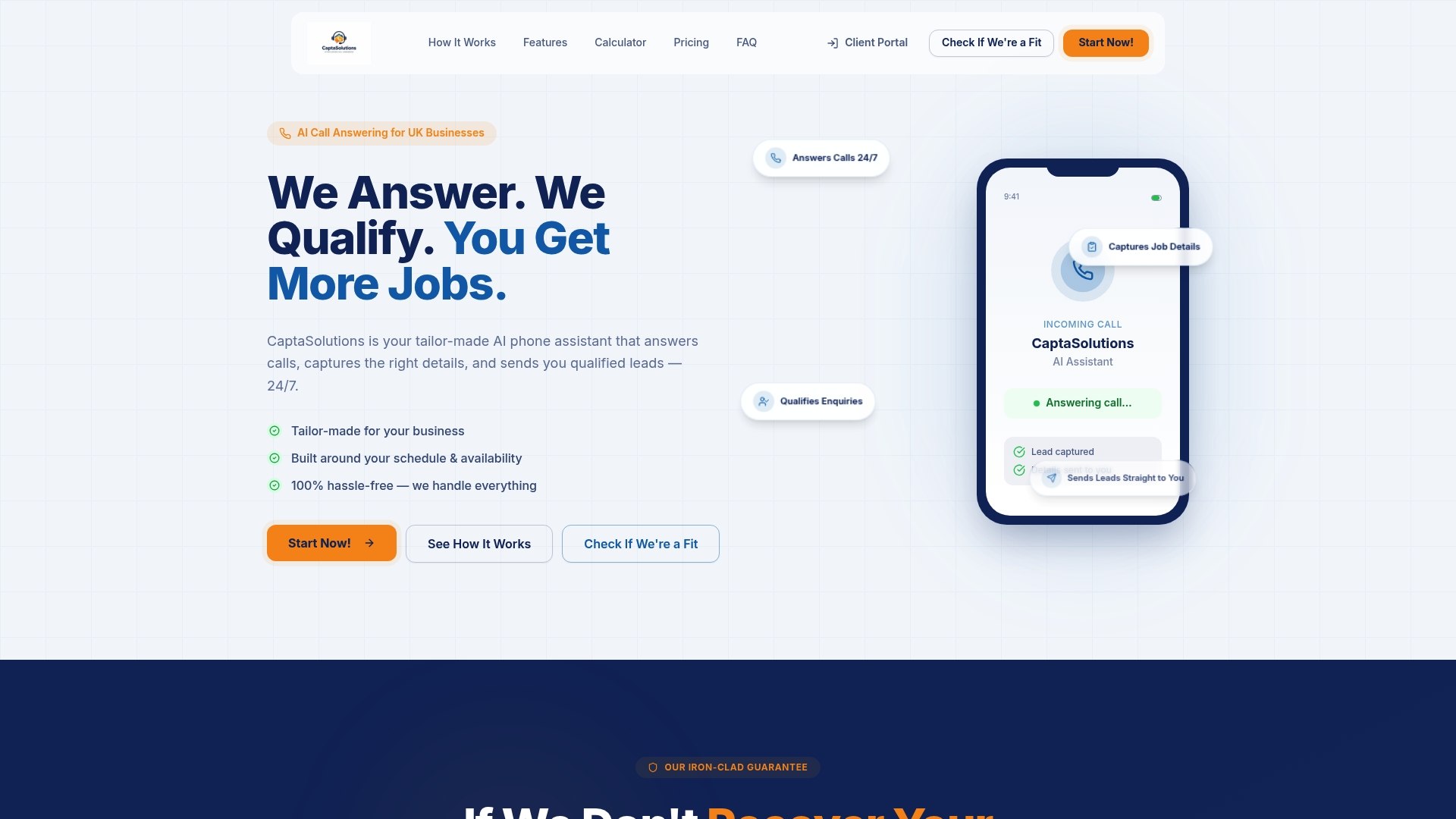
For trades businesses, salons, restaurants, and clinics across the United Kingdom, Captasolutions provides the overflow layer that keeps bookings flowing during lunch rushes, opening-hour spikes, and after-hours windows, without adding headcount or committing to a long-term contract. Setup takes under an hour. There is no card required for the free 30-day trial, and no contract to sign.
Start your free trial at captasolutions.co.uk or call 07346 811329 to go live today.
Useful sources and further reading
The claims in this article are supported by the following sources:
- How to Ask for an Appointment (& Get a Yes) in 2026 — Prospeo: binary offer research and scheduling best practices.
- 12 Meeting Scheduling Best Practices for 2026 (That Actually Work) — Zyncro: 25/50-minute slot defaults and restricted bookable hours.
- Sales appointment setting: How to get appointments in sales — HubSpot: framing value before asking for a booking.
- 10 Expert Tips for Managing Customer Service During Peak Season — Otonomee: surge cover and metric monitoring during predictable peaks.
- How to Reduce Hold Time and Improve Customer Experience — Spectrum Business: callbacks, knowledge aids, and online self-service.
- What Are The Busiest Call Center Hours? — Bright Pattern: peak hour traffic patterns and staffing concentration.
- How to handle multiple booking calls simultaneously — Captasolutions: simultaneous call triage and flow design.
- How to convert phone enquiries into bookings — Captasolutions: conversion tactics and closing language.
- After-hours booking opportunity types for UK businesses — Captasolutions: 24/7 coverage and after-hours booking capture.