

Call handling for busy professionals is the strategic process of managing inbound and outbound calls to minimise disruptions and protect productive working time. Done well, it is the difference between a business that captures every opportunity and one that loses clients to a competitor who simply picked up the phone. Tools like virtual receptionists, CRM-integrated call platforms, and AI call agents have made efficient call management achievable without a full-time receptionist. Experts at Hiver and Zendesk confirm that call management success requires dedicated service level agreements and performance tracking, not just answering calls.
What tools enable effective call handling for busy professionals?
The right technology turns an unmanageable call volume into a structured, trackable workflow. Three categories of tools matter most: call management platforms, virtual receptionist services, and CRM integrations.
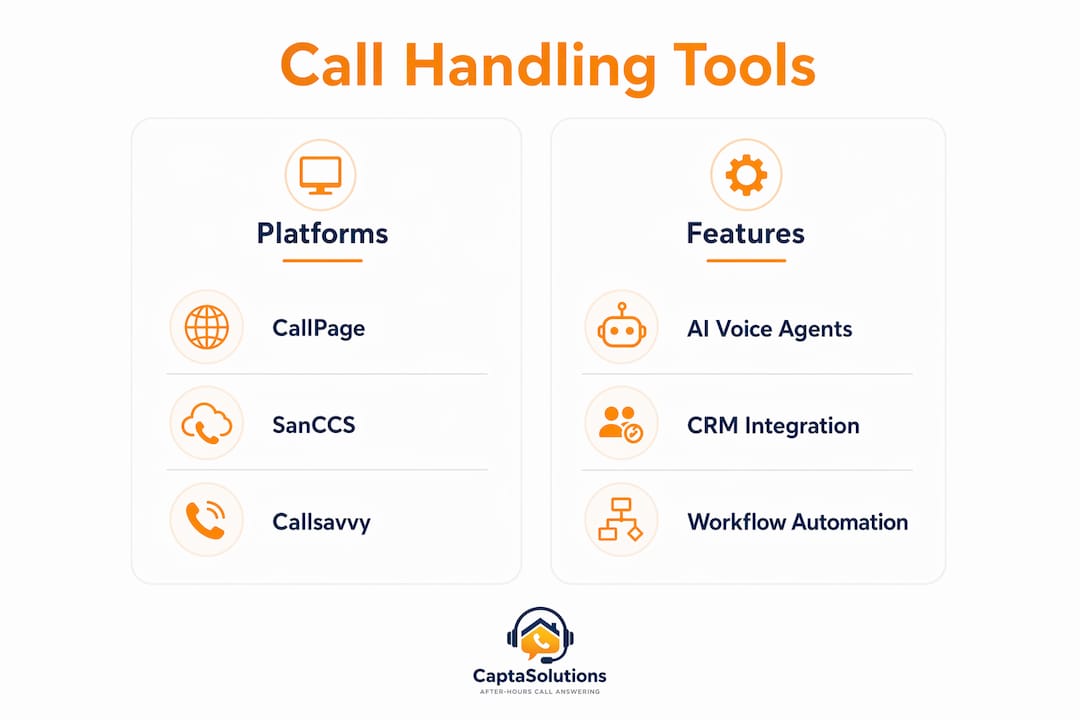
Call management platforms like CallPage and SanCCS sit at the core of any professional call setup. CallPage consolidates inbound calls into a single dashboard with automated routing, call recording, and call status tracking. That means a solicitor or consultant can review every missed call in one place rather than chasing voicemails across multiple devices. SanCCS facilitates inbound and outbound calls on one system, reducing manual work through call routing, auto dialers, and forwarding to mobile devices. Both platforms are built for teams that cannot afford gaps in call coverage.

AI-powered platforms take this further. Callsavvy integrates CRM, AI calling, and workflow automation to handle routine interactions without human input. The practical result is that a professional can focus on client work while the system qualifies enquiries, logs caller details, and routes urgent calls appropriately.
CRM integration is the feature most professionals overlook. When a call platform feeds directly into a CRM like Salesforce or HubSpot, every interaction is logged automatically. There is no manual data entry, no lost context, and no follow-up that falls through the cracks.
| Tool | Key Feature | Best Suited For |
|---|---|---|
| CallPage | AI voice agents, call routing, single dashboard | Client-facing professionals and small teams |
| SanCCS | Auto dialers, mobile forwarding, inbound/outbound | Remote workers and field-based professionals |
| Callsavvy | CRM integration, omnichannel messaging, AI support | High-volume enquiry businesses |
| Captasolutions | AI answering, lead qualification, 24/7 coverage | UK trades, clinics, and service businesses |
Pro Tip: When selecting a call management tool, prioritise CRM integration and mobile forwarding above all other features. A tool that logs calls but does not sync with your client records creates more admin, not less.
How can you organise and prioritise your calls at work?
Call prioritisation is the practice of separating urgent, revenue-generating calls from routine or low-value ones before you pick up the phone. Without a system, every call feels equally urgent, and your focus suffers.
Here is a five-step process to build an effective call prioritisation system:
- Classify your callers. Divide contacts into three tiers: existing clients with active matters, new enquiries, and general or administrative calls. Each tier gets a different response protocol.
- Set up automated screening. Use your call platform's IVR (interactive voice response) menu to route calls by type before they reach you. A caller pressing "1 for new enquiries" goes to a virtual receptionist; a caller pressing "2 for existing clients" routes directly to you.
- Block call-handling windows. Reserve two or three fixed periods each day for returning calls. Outside those windows, calls go to voicemail or a virtual receptionist. This protects deep work time without sacrificing responsiveness.
- Define escalation criteria. Clear escalation procedures reduce wait times and prevent urgent matters from sitting in a queue. Write down exactly which call types require an immediate callback within one hour.
- Review weekly. Track which call types consume the most time and adjust your routing rules accordingly. What works in week one rarely works perfectly in week eight.
The most common mistake professionals make is attempting to multitask during calls. Research on call centre performance consistently shows that divided attention during a call increases handle time and reduces first-call resolution. Give each call your full attention or route it to someone who can.
What are the best practices for managing calls when off-site?
Mobile call management is no longer optional for professionals who work across multiple locations, visit clients, or operate outside standard office hours. Call forwarding software redirects office calls to mobile phones, so a professional on a site visit or in a client meeting never misses an inbound enquiry.
Key mobile call handling practices include:
- Enable cloud-based call forwarding. Platforms like SanCCS forward calls to any device, anywhere. Set rules so calls forward to your mobile during site visits and to a virtual receptionist after hours.
- Use professional voicemail greetings. Record a greeting that names your business, confirms you will return the call within a specific timeframe, and invites the caller to leave a detailed message. Vague greetings reduce the number of callers who leave a message.
- Set up automated SMS responses. Some platforms send an automatic text to missed callers confirming receipt of their call. This simple step reduces repeat calling and reassures clients their enquiry has been noted.
- Review call logs daily. A cloud platform stores every call attempt with timestamps. Reviewing this log each morning takes five minutes and prevents any enquiry from going unanswered for more than 24 hours.
- Use a dedicated business number. Keeping your personal and business numbers separate allows you to switch off personal calls during client hours without missing business enquiries.
Pro Tip: Set your call forwarding rules to activate automatically based on your calendar. If your calendar shows a client meeting from 10:00 to 11:30, your calls should route to a virtual receptionist during that window without you needing to remember to switch anything on.
Does outsourcing call handling actually improve efficiency?
Outsourcing call handling is the practice of delegating inbound call answering to a third-party service, whether a human virtual receptionist or an AI call agent. Virtual receptionists and AI call agents can answer, route, and transcribe calls, increasing responsiveness without the cost of full-time staff. For a solicitor, consultant, or clinic owner managing a full diary, this is a direct productivity gain.
The benefits go beyond cost. An outsourced service answers calls in your business name, qualifies the enquiry, and captures caller details before you ever see the message. You receive a structured summary rather than a voicemail you have to decipher and act on. That shift alone can save 30–45 minutes per day for a professional handling 15 or more calls.
| Approach | Cost | Coverage | Control | Best For |
|---|---|---|---|---|
| In-house receptionist | High (salary, NI, holiday cover) | Business hours only | Full | Large offices with consistent call volume |
| Virtual receptionist | Medium (per call or monthly) | Extended hours | Moderate | Small firms and solo professionals |
| AI call answering | Low (subscription) | 24/7 | Configured | Trades, clinics, and high-volume service businesses |
The main pitfall when outsourcing is failing to brief your provider properly. A virtual receptionist who does not know your services, your pricing structure, or your escalation criteria will give callers inaccurate information. Invest time upfront in writing a clear call script and updating it whenever your services change. Knowing how to cover business calls without staff is a skill in itself, and the briefing document is the foundation of it.
Effective call handling tracks key performance indicators like First Call Resolution and Average Handle Time. Apply the same logic to your outsourced provider. Ask for monthly call reports and review them.
Key takeaways
Structured call handling, supported by the right tools and clear protocols, is the most direct way for busy professionals to protect productive time without missing revenue-generating calls.
| Point | Details |
|---|---|
| Use integrated platforms | Tools like CallPage and SanCCS combine routing, recording, and CRM sync to reduce manual admin. |
| Prioritise with a tiered system | Classify callers into three tiers and use IVR routing to direct each type appropriately. |
| Enable mobile forwarding | Cloud-based forwarding ensures calls reach you or a virtual receptionist regardless of location. |
| Outsource for 24/7 coverage | AI call agents and virtual receptionists handle calls outside office hours at a fraction of staffing costs. |
| Track performance metrics | Monitor First Call Resolution and Average Handle Time to identify and fix gaps in your call process. |
The uncomfortable truth about call management most professionals ignore
I have worked with dozens of professionals who invest in call management tools and then wonder why nothing changes. The technology is rarely the problem. The problem is that most people treat call handling as an administrative task rather than a revenue function.
Every missed call is a missed decision. A caller who does not leave a message has already moved on. That is not a communication issue. That is a lost client. Once you reframe call handling as a sales and retention activity, the motivation to build a proper system shifts entirely.
The second thing I have observed is that professionals consistently overestimate how much control they need. They resist outsourcing because they want to speak to every caller personally. In practice, a well-briefed AI service or virtual receptionist captures more useful information from a first call than a distracted professional answering between meetings. The follow-up after calls is where relationships are built. The initial answer is just triage.
My honest recommendation is to start with one change: block two call-handling windows per day and route everything else to a professional answering service. Do that for two weeks and measure how many more enquiries you convert. The data will tell you what to do next.
— Daniel
How Captasolutions supports busy professionals with every call
Captasolutions is an AI-powered call answering service built for UK professionals who cannot afford to miss an enquiry. Whether you are in a client meeting, on a site visit, or working after hours, Captasolutions answers every call in your business name, captures the caller's details, qualifies the enquiry, and organises everything into your client portal.
There is no contract, no card required, and the service goes live within the hour. For professionals managing high call volumes without dedicated reception staff, Captasolutions delivers 24/7 coverage at a fraction of the cost of a full-time hire. Start your free 30-day trial today at captasolutions.co.uk or call 07346 811329.
FAQ
What is call handling for busy professionals?
Call handling for busy professionals is the structured process of managing inbound and outbound calls to reduce disruptions and capture every enquiry. It combines tools like call routing, virtual receptionists, and CRM integration to keep communication organised without consuming productive working time.
How do virtual receptionists help with call management?
Virtual receptionists and AI call agents answer, route, and transcribe calls without requiring full-time staff. They increase responsiveness and free professionals to focus on client work rather than fielding every inbound call personally.
What kpis should i track for call handling performance?
First Call Resolution and Average Handle Time are the two most important metrics for assessing call handling efficiency. Tracking these figures monthly reveals where calls are being dropped, delayed, or handled poorly.
Can i manage calls professionally while working remotely?
Cloud-based call forwarding platforms like SanCCS redirect office calls to any mobile device, supporting professional call management from any location. Pairing forwarding with a professional voicemail greeting and automated SMS responses maintains a consistent client experience regardless of where you are working.
When should a busy professional outsource call handling?
Outsourcing becomes the right choice when missed calls are costing you clients or when call volume exceeds what you can manage without interrupting client-facing work. AI call answering services provide 24/7 coverage at a low monthly cost, making them practical for sole traders, clinics, and small professional firms.