

You are on a job, hands deep in a boiler or halfway up a scaffold, and your phone rings. You cannot answer. The caller waits four rings, hears voicemail, and hangs up. By the time you call back, they have already booked someone else. If that scenario sounds familiar, you need to go live with call answering fast. The good news is that getting a live call response service up and running no longer takes days of IT work or a dedicated receptionist. With the right setup, you can have calls answered professionally within the hour.
Table of Contents
- Key takeaways
- What you need to go live with call answering fast
- Step-by-step: setting up fast call handling
- Common pitfalls and how to fix them
- What to expect once you are live
- My honest take on going live quickly
- How Captasolutions gets you live fast
- FAQ
Key takeaways
| Point | Details |
|---|---|
| Speed of setup | Modern AI answering services can be live within an hour using call forwarding, with no VoIP migration required. |
| Conditional forwarding wins | Use no-answer or busy forwarding rather than unconditional divert to preserve your normal call flow. |
| Cost varies significantly | Human answering services cost £200–£400 per month, while AI options start from around £100 per month. |
| Testing before full go-live | Always test forwarded calls from a second phone before announcing your new setup to customers. |
| Speed of response matters | Responding to a lead within five minutes makes you nearly seven times more likely to qualify them. |
What you need to go live with call answering fast
Before you configure anything, it helps to understand the two main types of call forwarding available on UK networks. Getting this right from the start saves you from overforwarding calls and frustrating customers.
The two forwarding types explained
Unconditional forwarding diverts every single call away from your number before it even rings your handset. It is useful for planned downtime but the wrong default for most trades businesses, because you lose the chance to answer calls yourself when you are free.
Conditional forwarding only kicks in when something specific happens. The three conditions are: no answer (you do not pick up within a set number of rings), busy (you are already on a call), and unreachable (your phone is off or has no signal). This is the approach that works best for quick call management without disrupting your normal phone behaviour.
Tools and information you will need
Gather these before you start:
- Your mobile or landline number with the carrier account access details
- The forwarding number for your answering service (provided when you sign up)
- A second phone to test the setup once configured
- Your carrier's app or a web portal if you prefer to avoid star codes
| Forwarding type | Best for | Risk if misused |
|---|---|---|
| Unconditional (21) | Holidays, planned downtime | All calls diverted, even when you are available |
| No-answer (61) | Active working hours | Delay set too long means callers hang up first |
| Busy (67) | When you are on another call | Low risk if answering service is reliable |
| Unreachable (62) | Poor signal areas, site work | Minimal risk, good safety net |
Most UK carriers support star code forwarding directly from the dial pad, which means no app download or account login is required for a basic setup.
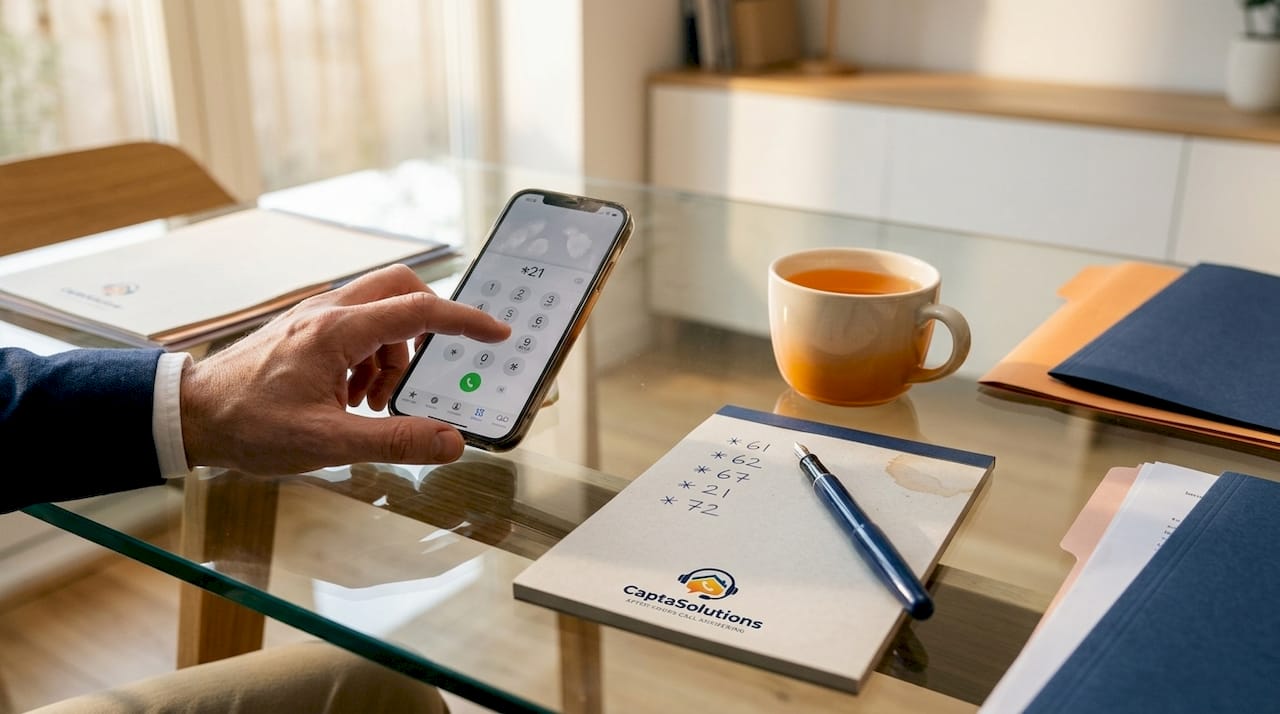
For AI answering services specifically, no VoIP migration is required. The service integrates with your existing number purely through call forwarding, so there is no technical installation at all.
Step-by-step: setting up fast call handling
This is the practical part. Follow these steps to configure conditional call forwarding and connect it to your answering service of choice.
-
Sign up for your answering service and collect your forwarding number. Whether you choose a human telephone answering service or an AI-powered option, you will receive a dedicated inbound number. Keep this to hand.
-
Set your no-answer forward using a star code. On most UK mobile networks, dial "61[forwarding number]#
and press call. This activates forwarding for unanswered calls. For example, if your answering service number is 01234 567890, you would dial6101234567890#`. -
Set the ring delay. The standard no-answer timeout is 15 to 30 seconds, which is roughly 3 to 6 rings. A timeout of 15 to 30 seconds gives you a realistic window to answer yourself before the call forwards. Some carriers let you append the delay in seconds directly to the star code.
-
Activate busy forwarding. Dial
*67*[forwarding number]#to send calls to your answering service when your line is already in use. This stops callers hearing an engaged tone during your busiest periods. -
Consider unreachable forwarding for site work. If you regularly lose signal on job sites, dial
*62*forwarding number]#to cover that scenario too. This is particularly useful for [tradespeople on site who work in signal-poor environments like basements or industrial units. -
Test every forwarding condition from a second phone. Call your number and let it ring past your set delay. Confirm the call reaches your answering service. Then call again while your phone is engaged. Both scenarios should route correctly before you go live.
-
Brief your answering service on your business details. Give them your business name, the types of jobs you take, your service area, and any information you want captured from callers. For AI services, this is typically uploaded via a dashboard and takes under 30 minutes.
Pro Tip: Set your no-answer delay to 20 seconds rather than 30. Most callers begin mentally disengaging after 15 to 20 seconds. Cutting the delay means your answering service picks up while the caller is still engaged and ready to speak.
For AI-powered services, deployment typically takes between a few hours and five to seven working days for full testing, though many businesses are taking live calls the same day they sign up.
Common pitfalls and how to fix them
Even a simple forwarding setup can go wrong. These are the problems that come up most often when tradespeople go live quickly.
-
Wrong forwarding code activated. Using
*21*instead of*61*activates unconditional forwarding, which means you never get the chance to answer yourself. Check which code you used and cancel it with##21#if needed. -
Forwarding number entered incorrectly. A single transposed digit sends calls to the wrong destination entirely. Verify the number carefully before confirming.
-
Ring delay set too long. A 40-second or 60-second timeout frustrates callers. Keep it at 20 to 30 seconds maximum.
-
No confirmation of forwarding status. You can check your forwarding status on most UK networks by dialling
*#61#for no-answer or*#21#for unconditional. Use these before declaring yourself live. -
Forgetting to cancel forwards when no longer needed. To cancel all active call forwards at once, dial
##002#. This is the fastest reset if something has gone wrong.
Getting call forwarding right is mostly about knowing which condition you want to trigger. Conditional forwarding set up correctly means your phone still rings as normal. You pick up when you can, and the answering service catches everything else. That is the correct mental model for most small UK businesses going live quickly.
The most common mistake is reaching for unconditional forwarding because it feels simpler. It is simpler, but it removes your ability to answer calls yourself, which defeats part of the purpose of having a business phone at all.
What to expect once you are live
The results of getting efficient call answering techniques in place are measurable quickly, particularly for trade businesses with high inbound call volumes.
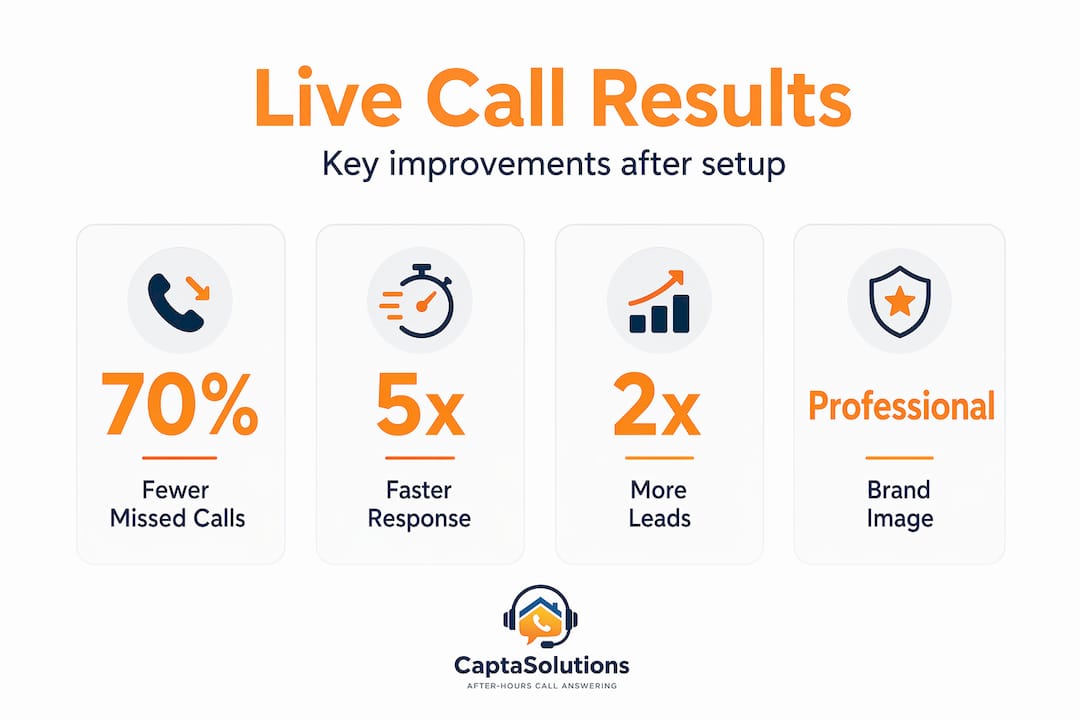
Missed calls drop immediately. That is the obvious one. But the less obvious benefit is what happens to your professional reputation. Callers who reach a live answer, whether human or AI, are significantly more likely to follow through with a booking than those who hit voicemail.
Cost comparison of your options
Telephone answering services in the UK typically cost between £200 and £400 per month for a human-staffed service. AI receptionist options generally start from around £100 to £250 per month with setup costs in the £1,500 to £3,000 range for bespoke builds. A part-time human receptionist, by contrast, costs between £1,200 and £1,800 per month before you factor in employer contributions.
For most trades businesses, the ROI timeframe sits at 60 to 90 days when call volumes are moderate to high. A single recovered job booking in many trades covers a month of answering service costs outright.
The speed factor matters here too. Responding to enquiries within five minutes makes you nearly seven times more likely to convert a lead compared with calling back an hour later. Instant call answering removes that delay entirely.
For a fuller picture of how missed calls affect revenue across different trades, the numbers reinforce one consistent point: speed of first contact drives conversion more than any other single factor.
My honest take on going live quickly
I have seen a lot of small businesses rush their call answering setup and make the same mistakes in the same order. The most damaging is turning on unconditional forwarding too early. I understand the impulse. You want everything covered immediately. But sending every call away before your phone even rings means customers cannot reach you directly during your quieter spells, and that feels wrong to them even if they cannot articulate why.
What I have found actually works is a staged approach. Start with no-answer and busy forwards only. Live with that for a week. See how it performs. Then add unreachable forwarding if you work in signal-dead areas. That sequence catches the vast majority of missed calls without any loss of control over your own line.
The other thing worth saying plainly: testing is not optional. I have watched business owners flip a forwarding switch and assume everything is working, only to find three days later that the number was entered wrong and every overflow call was disappearing into nothing. A two-minute test call from a second phone before you announce yourself as live prevents that entirely.
The businesses that get the most from fast call answering setup are the ones who treat it as a configuration task, not a technology project. There is nothing complicated here. It is routing rules and a service to send calls to. Get those two things right, test them, and you will be genuinely live within the hour.
— Daniel
How Captasolutions gets you live fast
Captasolutions is built for exactly this situation. It is an AI-powered call answering service designed for UK trades businesses, salons, hospitality venues, and service businesses that cannot afford to miss a call. You forward your calls to Captasolutions, and the AI answers in your business name, 24 hours a day, 7 days a week. It captures caller details, qualifies the enquiry, and organises everything into your client portal. Setup takes under an hour. There is a free 30-day trial with no card required and no contract. If you want to cover your calls without hiring staff, Captasolutions is the direct route to getting there fast.
FAQ
How quickly can I go live with call answering?
Most businesses can activate call forwarding and connect to an answering service within an hour. AI-powered services like Captasolutions are typically live the same day you sign up.
What is the difference between conditional and unconditional forwarding?
Unconditional forwarding diverts all calls immediately, before your phone rings. Conditional forwarding only activates when you do not answer, your line is busy, or your phone is unreachable, which is the better option for most active businesses.
Which star code do I use for no-answer forwarding on a UK mobile?
Dial *61*[your answering service number]# on most UK networks to activate no-answer forwarding. To check it is active, dial *#61#. To cancel all forwards at once, dial ##002#.
How much does a call answering service cost in the UK?
Human telephone answering services typically cost £200 to £400 per month. AI answering services generally run from £100 to £250 per month, making them the more cost-effective option for most small businesses.
Will my customers know their call has been forwarded?
No. When configured correctly, the caller simply hears your business name and a professional greeting. There is no indication to the caller that the call has been redirected.