

Dynamic Number Insertion (DNI) combined with CRM and ad-platform integration is the fastest reliable way to track phone leads. To get started immediately, you need three things in place: a DNI JavaScript snippet installed on every page showing a phone number; a call-tracking number pool sized to your peak concurrent traffic; and a CRM integration configured to receive call data with offline-conversion import to Google Ads. Once those are live, run a single end-to-end test call and confirm the attribution appears in both Google Ads and your CRM before spending another penny on paid media.
- Install the DNI snippet (defer or async) on all pages displaying a phone number
- Set up a number pool sized appropriately for your site's traffic levels
- Connect call data to your CRM via webhook or native connector
- Configure offline-conversion import in Google Ads using the GCLID captured at click
- Run one test call and verify attribution end-to-end
Key takeaways
DNI plus CRM integration is the foundation of reliable phone lead tracking: without both, attribution data is incomplete and bidding optimisation is blind.
| Point | Details |
|---|---|
| DNI is the standard method | Install the DNI snippet on every page with a phone number to link calls to their originating campaign or keyword. |
| Pool size determines accuracy | Use at least 6 numbers for low-to-moderate traffic; increase to 15+ for high-traffic sites to prevent misattribution. |
| 60-second threshold filters noise | Set a minimum call duration of 60 seconds before counting a call as a lead to remove wrong numbers and hang-ups. |
| CRM integration is non-negotiable | Map call data to CRM fields and configure Google Ads offline conversion import using the GCLID as the join key. |
| Captasolutions covers answering and capture | Captasolutions answers calls 24/7, qualifies leads by AI, and syncs records to your CRM with a free 30-day trial. |
Table of Contents
- Which kinds of phone-call conversions you should track
- How Dynamic Number Insertion ties a call to a campaign
- Step-by-step setup you can hand to a developer or agency
- How to connect call tracking with CRMs and ad platforms
- How to decide which calls count as conversions
- Sizing tracking-number pools and avoiding common failures
- UK privacy, consent and legal considerations
- Metrics and optimisation levers for a phone-call lead programme
- End-to-end testing checklist and quick fixes
- How to choose a UK-compliant call-tracking provider
- The mistakes UK SMBs make most often with phone lead tracking
- Captasolutions answers every call and captures every lead
- Sources
Which kinds of phone-call conversions you should track
Not every inbound call deserves the same tracking method, and conflating them is one of the most common sources of bad attribution data.
Calls from ad extensions and call-only ads are tracked natively inside Google Ads using Google forwarding numbers. The platform records duration, call start time, and whether the call was connected. No third-party platform is strictly required for this type, though most advertisers layer one on top for richer data.
Post-click website calls are the most valuable and the most complex. A visitor lands on your site after clicking an ad, browses, then dials the number they see. Dynamic number insertion swaps that displayed number for a unique tracking number tied to the visitor's session, linking the call back to the original UTM or GCLID. This is the category where DNI earns its keep.
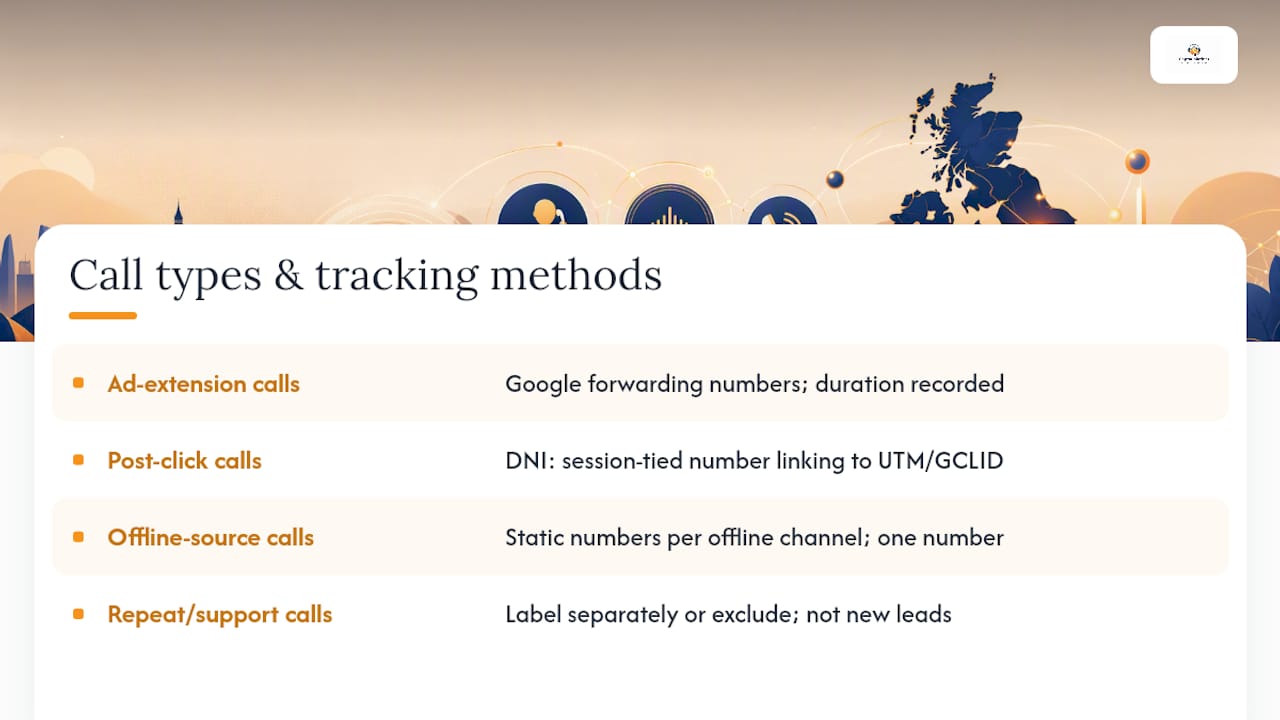
Offline-source calls from print, radio, trade shows, or Google Business Profile need static dedicated numbers rather than dynamic pools. One source, one number: assign a fixed tracking number to each offline channel and never reuse it elsewhere. Call-tracking providers offer both dynamic and static numbers precisely because online and offline attribution require different approaches.
Repeat-caller and support calls should be labelled separately or excluded from conversion counts altogether. A returning customer calling to rebook is not a new lead. Tagging these calls prevents inflated conversion volumes that distort your cost-per-lead figures and mislead bidding algorithms.
A call from a first-time visitor who stays on the line for more than 60 seconds and asks about pricing is a conversion. A 12-second call from a number already in your CRM is not. The distinction matters at every stage of reporting.
How Dynamic Number Insertion ties a call to a campaign
The technical flow is straightforward once you see it as a chain of handoffs.
- A visitor clicks a paid ad. Google Ads appends a GCLID to the landing page URL; Meta campaigns pass UTM parameters.
- The DNI JavaScript snippet fires on page load, reads the session parameters from the URL or cookie, and swaps the static phone number in the HTML for a unique tracking number from the pool.
- The visitor calls that tracking number. The call-tracking platform intercepts it, logs the session data attached to that number (GCLID or UTM, caller number, call duration, timestamp, page URL, device type, session ID), and forwards the call to your real business number.
- After the call ends, the platform pushes the call record to your CRM and sends a conversion event back to Google Ads or Meta.
The data fields captured at step 3 are what make the whole system useful: call-tracking platforms record which ad, campaign, and keyword generated the call, alongside call metadata such as duration, whether the call was answered, and time of day. That metadata feeds both bidding and qualification workflows.
DNI depends on JavaScript executing before the page renders the phone number, and on the GCLID or UTM cookie persisting across the session. If a visitor has JavaScript disabled or uses a browser that strips third-party cookies aggressively, the swap may not fire. Most platforms handle this with a fallback: display the static number when the snippet cannot read session data, and log the call as unattributed rather than misattributed.
A note on Meta: paid social campaigns do not provide native post-click call forwarding numbers. Attribution relies on UTM parameters captured by the DNI snippet, with conversions sent back to Meta via the Conversions API (CAPI) as server-side events.
Step-by-step setup you can hand to a developer or agency
Pre-flight checks
Audit every phone number currently displayed on your site. Remove any retired tracking numbers from previous campaigns. Estimate your peak concurrent visitor count during your busiest hour — this determines pool size in the next step.

1. Install the DNI snippet
Add the call-tracking platform's JavaScript snippet to every page that shows a phone number. Load it with defer or async to avoid blocking page render. Mark each phone element with the CSS class or data- attribute the platform expects (e.g. class="tracked-number"). Confirm the snippet fires on mobile as well as desktop.
2. Deploy via Google Tag Manager (optional but recommended)
If your site uses Google Tag Manager, add the DNI snippet as a Custom HTML tag triggered on All Pages. Set the trigger to fire before the DOM is ready if the platform supports it. Google's own guidance warns that the GTM phone-conversion tag may not be compatible with international number formats; use the national format without the leading plus sign when configuring numbers in GTM.
Pro Tip: Create a GTM preview session and use the Tag Assistant Chrome extension to confirm the DNI tag fires on every page template, not just the homepage. Landing pages built in separate tools (Unbounce, Instapage) need the snippet added independently.
3. Configure Google Ads call conversions
In Google Ads, create a new conversion action of type "Phone calls from ads" for ad-extension calls and a separate "Calls to a phone number on your website" action for post-click calls. Install the Google tag sitewide and add the phone snippet to pages with numbers. Enable GCLID auto-tagging in account settings. Set your conversion window to match your typical sales cycle.
4. Map CRM fields and configure offline-conversion import
Create a webhook in your call-tracking platform pointing to your CRM's inbound endpoint. Map: caller number → contact phone, GCLID → custom field, call duration → custom field, qualification tag → lead status, transcript link → note body. In Google Ads, set up an offline conversion import using the GCLID as the join key. Upload qualified calls as a separate conversion action from raw call volume.
5. Run the end-to-end verification call
Click a live ad (or simulate a tagged URL), visit the site, confirm the displayed number has changed, place a call, and check: the call appears in the tracking platform dashboard with correct attribution, a CRM record is created, and the conversion appears in Google Ads within 24 hours.

How to connect call tracking with CRMs and ad platforms
The integration is only as good as the field mapping. A call record that arrives in your CRM without a source tag is almost useless for attribution.
| Call-tracking field | CRM field | Notes |
|---|---|---|
| Caller number | Contact: Phone | Deduplicate against existing contacts |
| Source / GCLID | Lead: Ad source (custom) | Required for offline conversion import |
| UTM campaign | Lead: Campaign name | Populate from session cookie |
| Call duration (seconds) | Lead: Call duration | Used for duration-threshold filtering |
| Transcript URL | Activity: Note body | Link, not full text, to keep record size manageable |
| Qualification tag | Lead: Status | Map "hot", "warm", "unqualified" to CRM stages |
| Call timestamp | Activity: Date/time | Use UTC to avoid timezone mismatches |
HubSpot supports call-tracking integrations via its native Calling API and through third-party connectors. The most common pitfall is duplicate contact creation when the caller's number already exists under a different format (07xxx vs +447xxx). Normalise all numbers to E.164 format before the CRM write.
Salesforce handles call data well via its open API, but field mismatches between the call-tracking platform's data model and Salesforce's Lead and Activity objects are frequent. Map call records to Tasks linked to Leads, not to standalone records, so they appear in the activity timeline.
For Google Ads offline conversion import, upload a CSV containing GCLID, conversion name, conversion time, and conversion value on a daily schedule. Most call-tracking platforms automate this via a direct Google Ads connector. Validate by checking the "Conversions" column in Google Ads for the previous day's calls within 48 hours of upload.
For Meta, paid social attribution requires UTM parameters on every ad URL and a server-side CAPI event sent from the call-tracking platform after the call ends. Confirm the event appears in Meta Events Manager with a match quality score above 6.
Checklist for integration validation:
- Webhook fires within 60 seconds of call end
- No duplicate CRM records for the same caller
- GCLID field populated on at least 85% of paid-search call records
- Offline conversion import shows "Eligible" status in Google Ads
- Meta Events Manager shows call events with event match quality score
How to decide which calls count as conversions
Raw call volume is a vanity metric. What matters is how many of those calls represent genuine revenue opportunities.
A practical framework separates inbound calls into three classes:
- Call: any inbound ring, answered or not. Logged but not counted as a conversion.
- Lead: the caller matches your buyer profile and expresses interest. Counted as a micro-conversion.
- Qualified prospect: the caller has intent, budget, and a defined need. Counted as a primary conversion and fed into bidding.
Duration threshold as a first filter
Start with 60 seconds as the minimum duration for a call to be classified as a lead. Calls shorter than that are almost always wrong numbers, hang-ups, or automated diallers. The 60-second rule is a blunt instrument — it will occasionally exclude a genuine short enquiry — but it removes the majority of noise quickly and is easy to implement in any call-tracking platform.
Scoring qualified prospects
Once a call clears the duration threshold, score it across four dimensions:
| Dimension | — | 5 points | — |
|---|---|---|---|
| Intent | No clear need stated | General enquiry | Specific service requested |
| Fit | Outside service area | Partial match | Ideal customer profile |
| Urgency | No timeline | Within 3 months | Within 2 weeks |
| Outcome | No next step | Callback requested | Appointment booked |
A score above 30 out of 40 classifies the call as a hot qualified prospect. Scores of 15–30 are warm leads for nurture. Below 15, log and exclude from conversion counts.
The combination catches misclassifications that either method alone would miss.*
Sizing tracking-number pools and avoiding common failures
Pool size is the most frequently underestimated variable in call-tracking setup. If two visitors land on your site simultaneously and the pool has only one available number, the second visitor sees the static fallback number and their call goes unattributed.
Pool sizing rules of thumb:
- Low traffic (under 500 sessions/day): 4–6 numbers
- Moderate traffic (500–2,000 sessions/day): 8–12 numbers
- High traffic (2,000+ sessions/day): 15 or more numbers
The one-source, one-number principle applies here too: keep pools separate by channel. A pool shared between paid search and organic traffic will misattribute calls when both sources are active simultaneously.
Common failures and their causes:
- Pool exhaustion: more concurrent visitors than available numbers. Fix: increase pool size or reduce number-lease duration.
- Snippet not firing: tag blocked by a Content Security Policy header or a cookie-consent script that defers JavaScript. Fix: whitelist the tracking domain in CSP; load the snippet before the consent layer where legally permissible.
- Double-counted events: two tags (e.g. a GTM tag and a hardcoded snippet) both fire on the same call. Fix: audit tags in GTM preview mode and remove the hardcoded version.
- International prefix mismatch: numbers stored as +44 7xxx in the pool but the CSS selector targets 07xxx format. Fix: normalise all numbers to a single format before deployment.
- Mobile click-to-call not tracked: the
tel:link uses the static number rather than the dynamically inserted one. Fix: ensure the DNI snippet updateshrefattributes as well as visible text.
For missed-call recovery, a separate process should run alongside tracking: log every unanswered call and trigger a follow-up sequence within 15 minutes.
UK privacy, consent and legal considerations
Call recording and call-data storage are regulated activities in the UK. Getting this wrong carries ICO enforcement risk and, for businesses in regulated sectors, additional liability.
UK GDPR basics for call tracking:
- Personal data captured during a call (name, phone number, address, health or financial details) must be processed under a lawful basis. Legitimate interests or contract performance are the most common bases for sales calls; consent is required for marketing calls under PECR.
- Callers must be informed that the call may be recorded. The standard approach is an IVR announcement at the start of the call: "This call may be recorded for quality and training purposes."
- Retention periods must be defined and enforced. Most businesses retain call recordings for 6–12 months; financial services firms may be required to retain for longer under FCA rules.
- Transcripts and recordings must be stored with access controls. Restrict access to those with a business need.
Pro Tip: Before sending call data to Google Ads or Meta for offline conversion import, hash or anonymise the caller's phone number. Pass only the GCLID or a hashed identifier — never raw personal data — to ad platforms. This satisfies UK GDPR data-minimisation requirements and reduces your exposure if an ad platform suffers a data breach.
For detailed guidance, the ICO's guidance on call recording sets out the legal framework. A Data Protection Impact Assessment (DPIA) is advisable when deploying call recording at scale, particularly if transcripts are processed by AI systems.
Compliance checklist:
- IVR announcement in place before call recording starts
- Lawful basis documented in your Record of Processing Activities (ROPA)
- Retention policy set and automated deletion configured
- Access controls applied to recording storage
- Identifiers hashed before export to ad platforms
- DPIA completed if AI transcription is used at scale
Metrics and optimisation levers for a phone-call lead programme
Tracking calls is only valuable if the data changes decisions. These are the metrics that actually move the needle.
Essential KPIs:
- Call volume by channel: total inbound calls segmented by paid search, organic, paid social, and offline
- Qualified-call rate: percentage of calls that meet your lead or qualified-prospect threshold
- Cost per qualified call (CPQC): ad spend divided by qualified calls, by channel
- Lead-to-opportunity rate: qualified calls that progress to a quote or demo
- Closing rate: opportunities that convert to paying customers
- Missed-call rate: calls that rang but were not answered
- Average response time: for callbacks triggered by missed calls
Tracking call quality rather than volume is the lever most advertisers underuse. Converting call transcripts into optimisation signals for ad copy and landing pages, and feeding qualified-call conversions back into bidding, consistently outperforms optimising on raw call count.
Dashboard items worth building:
- Time-of-day heatmap showing call volume and qualified-call rate by hour
- Channel-by-channel CPQC table updated daily
- Call-quality trend line showing qualified-call rate week-on-week
Optimisation levers:
- Switch Google Ads Smart Bidding target from "all calls" to "qualified calls only" once you have at least 30 qualified conversions per month in the data
- Use call transcripts to identify objections and update landing page copy to address them before the call
- Reallocate budget from channels with CPQC above your target to those below it
- For phone bookings versus web forms, use the lead-to-opportunity rate to justify the higher cost-per-click of phone-intent keywords
End-to-end testing checklist and quick fixes
Run this sequence every time you make a change to the tracking stack, not just at initial setup.
- Create a tagged ad click by appending
?gclid=test123&utm_source=google&utm_medium=cpc&utm_campaign=testto your landing page URL. - Visit the page and confirm the displayed phone number has changed from the static number to a tracking number.
- Check the call-tracking platform's live view to confirm the session is registered with the correct source parameters.
- Place a call to the tracking number from a mobile device.
- Confirm the call appears in the platform dashboard with duration, source (GCLID/UTM), and caller number.
- Confirm a CRM record or activity has been created with the correct field mapping.
- Check Google Ads conversion data within 24–48 hours to confirm the offline import has processed.
Common fixes:
- Number not swapping: refresh the tag in GTM, clear browser cache, and retest. Check the CSS selector targets the correct element.
- GCLID not populating: confirm auto-tagging is enabled in Google Ads account settings and that the landing page URL is not stripping query parameters on redirect.
- CRM record not created: re-authorise the webhook, check the CRM's inbound log for rejected payloads, and confirm the endpoint URL has not changed.
- Offline import showing "No conversions found": verify the GCLID format matches exactly and that the conversion window has not expired.
- Double events in GA4: remove the hardcoded snippet and keep only the GTM-deployed version.
When to escalate: if the GCLID is present in the URL but absent from the call record after two test calls, contact your call-tracking platform's support team. Capture a HAR file from Chrome DevTools showing the snippet firing, the network request to the tracking platform, and the response. That log cuts diagnosis time significantly.
Follow-up sequences for missed calls should also be tested as part of this routine: confirm that an unanswered test call triggers the expected notification or callback workflow.
How to choose a UK-compliant call-tracking provider
The provider you choose determines how much of the above you can implement without custom development. These are the criteria that matter most for UK advertisers dependent on phone leads.
Selection criteria:
- UK compliance and data residency: confirm call recordings and transcripts are stored on UK or EU servers and that the provider's DPA covers UK GDPR obligations
- DNI support: full dynamic number insertion with GCLID and UTM capture, not just static number assignment
- CRM and Google Ads integrations: native connectors for HubSpot and Salesforce, plus a direct Google Ads offline-conversion import
- Call transcription and AI classification: automated transcription with intent tagging, not just duration logging
- Pool management and pricing: ability to add numbers quickly, transparent per-number pricing, and no hidden fees for pool expansion
- SLA and support hours: UK business-hours support at minimum; 24/7 support if your business takes calls outside office hours
Weight compliance, integrations, and attribution accuracy highest. A provider with excellent AI classification but no GCLID passthrough is useless for paid-search optimisation.
Captasolutions is built specifically for UK businesses that need 24/7 call answering, AI-powered lead capture, and a portal for reviewing and qualifying leads. For small and medium-sized businesses that cannot staff a phone line around the clock, it covers the answering, qualification, and CRM-sync steps in a single service, with a free 30-day trial and no contract required.
The mistakes UK SMBs make most often with phone lead tracking
The three errors that appear most consistently in UK small business setups are counting every call as a conversion, running undersized number pools, and treating the call-tracking platform as a standalone tool rather than part of the CRM stack.
Counting all calls as conversions inflates your reported lead volume and teaches bidding algorithms to optimise for noise. A business running Google Ads Smart Bidding on raw call count will find the algorithm chasing short, unqualified calls because they are more numerous. The ad spend does not change; the signal quality does.
Undersized pools are a quieter problem. A business with 800 daily sessions running a pool of four numbers will misattribute a meaningful share of calls during peak hours. The fix takes 20 minutes: add numbers to the pool and verify with a concurrent-session test. Yet most businesses discover the problem only when a client mentions they called but "got a weird number."
The CRM integration failure is the most expensive. Call data sitting in a tracking platform dashboard that never reaches the CRM means sales teams cannot see the full lead history, and offline conversion import to Google Ads never happens. The bidding algorithm optimises blind.
A practical 30-day plan: spend week one auditing and fixing duplicate events and pool size, week two implementing qualification rules and the 60-second threshold, week three connecting the CRM and configuring offline conversion import, and week four running the end-to-end test and switching Smart Bidding to qualified calls. That sequence produces measurable improvement without requiring a developer for more than a few hours.
The one change to make this week: implement the 60-second duration threshold and run an A/B test on bidding strategy (all calls vs. qualified calls only). The difference in lead quality will be visible within a fortnight.
Captasolutions answers every call and captures every lead
Most call-tracking setups solve the attribution problem but leave the answering problem untouched. A perfectly tracked missed call is still a missed lead.
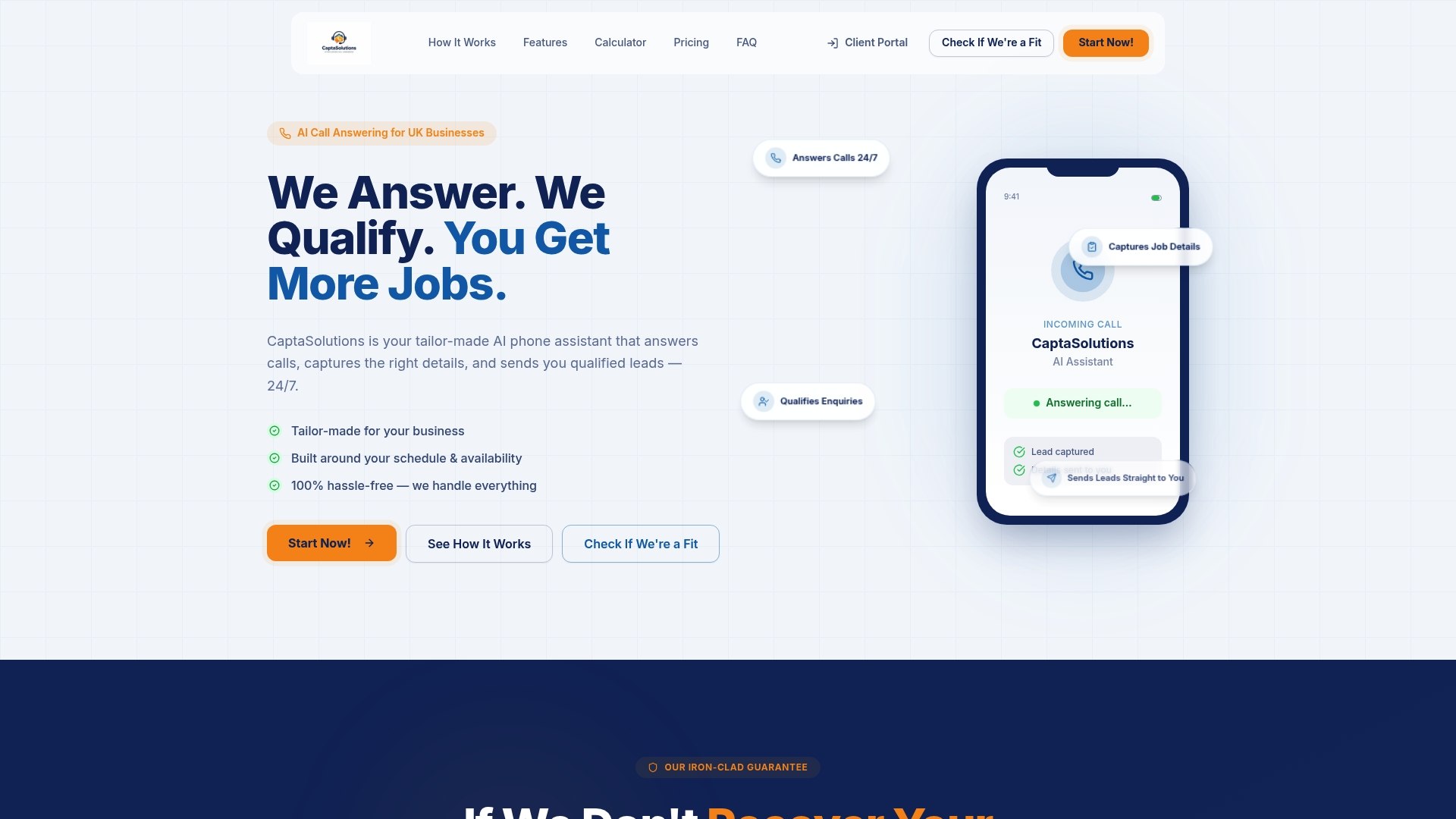
Captasolutions answers every inbound call in your business name, 24 hours a day, 7 days a week. The AI captures the caller's details, qualifies the enquiry against your criteria, and organises every lead into your client portal. Call recordings and transcripts are included, and the platform integrates with your CRM so lead data flows through without manual entry. For UK businesses that cannot staff a phone line around the clock — tradespeople, clinics, salons, restaurants — it means no call goes unanswered and no lead falls through the gap between tracking and follow-up.
Setup takes less than an hour. There is no contract and no card required for the free 30-day trial. Start the trial today and see end-to-end call capture, qualification, and CRM sync working from day one.
Sources
Start with the DNI definition and the Google Ads call-conversion documentation before anything else — those two cover the technical foundation for the majority of setups.
- Track calls to your phone number on your website - Google Ads Help
- Call Tracking for Paid Media: How to Track, Attribute, and Optimize Phone Leads | Web Marketing International
- How to Track Phone Call Leads Properly (Without Messing Up)
- Call tracking (YesWeTrack)