

Here is a working after-hours phone script your answering service can use from day one:
Opening: "Good evening, thank you for calling [Business Name]. My name is [Agent Name]. How can I help you tonight?"
Qualify: "Could I take your name and the best number to reach you on? And can you tell me briefly what you need help with?"
Consent: "Just to let you know, this call may be recorded for quality and training purposes, and your details will be stored securely in line with our privacy policy."
Capture or book: "I'll pass your details to the team and someone will call you back [first thing tomorrow / within two hours]. Is there a time that works best for you?"
Escalation trigger: If the caller reports an active emergency (flooding, gas smell, severe injury), say: "I'm flagging this as urgent right now. Please stay on the line while I alert the on-call team."
Pro Tip: Brief your answering supplier with the exact wording above before go-live. Even small deviations in phrasing can affect how callers respond to consent requests.
AI voice agents can answer every after-hours call, qualify leads, book appointments into a live calendar and log calls to CRM, with typical SME pricing running from £200 to £500 per month depending on call volume and complexity.
Key takeaways
A complete after-hours phone script must capture seven mandatory fields, apply sector-specific urgency triggers, and route calls to booking, escalation, or morning follow-up within 90 seconds.
| Point | Details |
|---|---|
| Use a live or AI answering script | A script that greets, qualifies, and captures beats a voicemail prompt every time. |
| Capture all seven mandatory fields | Name, phone, contact time, location, service, urgency, and consent must all be logged. |
| Define urgency by sector | Escalation triggers differ for trades, hospitality, and clinics — build them into the brief. |
| Test with real calls in week one | Listen to recordings and fix wording gaps within the first configuration session. |
| Captasolutions deploys same-day | Captasolutions configures AI answering, CRM logging, and escalation rules with no contract required. |
Table of Contents
- Three ready-to-use after-hours scripts by sector
- What must every after-hours script capture?
- Which questions qualify a caller in under 90 seconds?
- Adjusting tone and wording for each sector
- How to spot a genuine emergency and what to say
- How to brief an answering service and deploy your script
- UK data protection and call consent wording
- How to test your script and what to track in the first 30 days
- Three annotated call transcripts
- What the conventional advice on after-hours scripts gets wrong
- Captasolutions answers every after-hours call, so you never lose a lead overnight
- Sources
Three ready-to-use after-hours scripts by sector
Trades (plumber, electrician, builder)
"Good evening, you've reached [Business Name]. I'm here to help. Could I start with your name and the best number to call you back on? What's the job, and whereabouts are you located? Is this something urgent — for example, is there active flooding or a safety risk — or can the team get back to you first thing tomorrow? I'll make sure this goes straight to the right person."

Escalate if: caller confirms active water damage, gas leak, or electrical hazard.
Hospitality (restaurant, hotel, event venue)
"Good evening, thank you for calling [Business Name]. Are you looking to make a reservation or do you have a general enquiry? Brilliant — could I take your name, contact number, the date and time you have in mind, and how many guests? Any dietary requirements or allergens I should note? I'll confirm this with the team and you'll receive a follow-up by [time]."
Escalate if: caller reports a food safety concern or a guest medical incident.
Salon or clinic
"Good evening, you've reached [Business Name]. Are you looking to book an appointment or do you have a question about a treatment? Could I take your name, your preferred contact number, the service you're interested in, and whether you have a preferred practitioner or time? Is there anything medical I should flag for the team before your appointment?"
Escalate if: caller describes an adverse reaction to a recent treatment.
Pro Tip: Keep each template to under 60 words of agent speech. Callers who hear a long script before being asked a question tend to disengage within the first 20 seconds.
What must every after-hours script capture?
The answering service is only as useful as the data it hands back to your team. These are the mandatory fields:
- Caller name — for personalised follow-up and CRM matching
- Phone number — the primary callback contact
- Best contact time — avoids wasted call attempts
- Address or job location — critical for trades quotes and dispatch
- Service required — routes the lead to the right team member
- Urgency flag — separates emergencies from standard bookings
- Consent confirmation — required for lawful data capture under UK law
A short CRM field template your supplier can paste directly:
| Field | Example entry |
|---|---|
| Caller name | Sarah Ahmed |
| Phone | 07700 |
| Best contact time | Before 9 AM |
| Address / job location | 14 Oak Street, Leeds, LS1 |
| Service required | Boiler repair |
| Urgency | Non-urgent |
| Consent given | Yes — verbal, recorded |
Structured call goals, customised scripts and prompt follow-up within 24–48 hours materially improve the conversion rate of phone outreach, which makes complete field capture at first contact non-negotiable.
Pro Tip: Ask your answering supplier to mark any field left blank as "not provided" rather than leaving it empty. A blank field looks like a system error; a clear note tells your team exactly what to chase.
Which questions qualify a caller in under 90 seconds?
Lead qualification on phone calls uses short frameworks such as BANT and CHAMP, with three to five focused questions deciding whether to book, escalate, or capture for morning follow-up. Experienced qualifiers run this in three to five minutes; an after-hours script should aim for 90 seconds.
Use these questions in order:
- "What do you need help with tonight?" (service type)
- "Where are you based?" (location and service area check)
- "Is this urgent, or are you happy for the team to call you tomorrow?" (urgency triage)
- "Are you looking for a quote, or do you want to book a specific time?" (intent)
- "Is there a budget range you're working to?" (optional — use for larger jobs)
Routing rules:
- Emergency confirmed → escalate immediately, log call
- Booking intent + location in area → offer next available slot or capture for morning booking
- Quote only → capture details, flag for daytime follow-up
Scripts tailored to the lead profile and using conversational transitions rather than survey-style questions preserve rapport and improve qualification success. Avoid firing questions back-to-back without a brief acknowledgement between each one.
Pro Tip: Train your answering service to say "Got it, thanks" or "That's helpful" between questions. It sounds minor, but it keeps the caller engaged rather than feeling interrogated.
Adjusting tone and wording for each sector
Sector context changes what "urgent" means and how formal the script should feel.
Trades businesses should prioritise location and access. Ask whether the property is occupied and whether the caller has access for an engineer. Use plain, direct language: "Is anyone at the property right now?" Avoid overly formal phrasing — tradespeople and their customers expect efficiency, not ceremony.
Hospitality scripts benefit from a warmer register. Use the business name early, offer to confirm bookings immediately where the calendar allows, and always capture allergen information. A caller who mentions a severe allergy should be flagged to on-call staff regardless of the time.
Salons and clinics require the most care. Pre-screen for contraindications with a simple question: "Is there anything medical the team should know before your appointment?" Capture practitioner preference where relevant. Integrating with a live calendar so the system can book appointments and write full contact records converts enquiries into confirmed appointments far more reliably than message-taking alone.
How to spot a genuine emergency and what to say
Clear escalation triggers prevent both under-reaction and unnecessary out-of-hours call-outs.
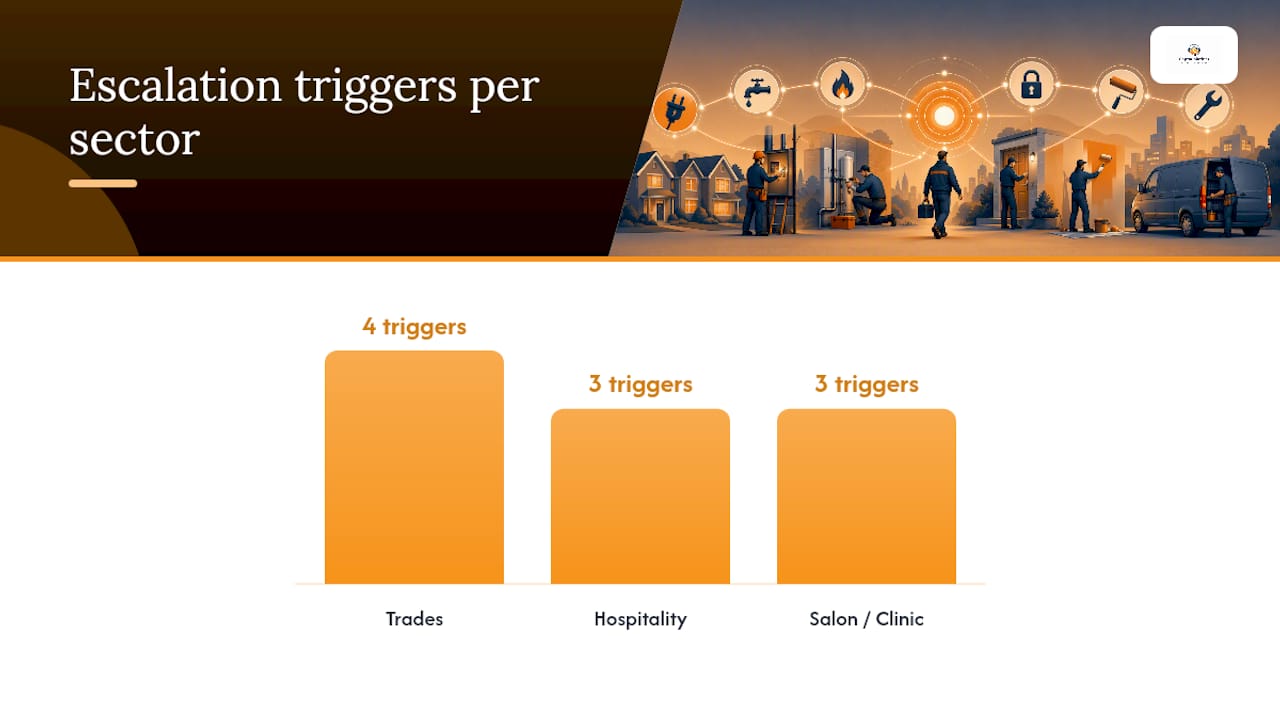
Trades escalation triggers: active flooding, gas smell, total power loss in a commercial property, structural risk.
Hospitality escalation triggers: guest reporting food poisoning symptoms, a medical incident on-site, a fire or evacuation.
Salon/clinic escalation triggers: adverse reaction to a treatment administered that day, anaphylaxis, or a caller in distress.
The escalation flow:
- Agent asks the trigger question: "Is anyone in immediate danger or at risk right now?"
- Caller confirms → agent says: "I'm flagging this as urgent immediately. Please stay on the line."
- Agent sends an SMS or calls the on-call contact using the pre-agreed template (see below).
- Agent logs the call with a timestamp and the exact words the caller used.
On-call alert template (SMS):
"URGENT — [Business Name] after-hours call. Caller: [Name], [Number]. Issue: [Brief description]. Called at [Time]. Please respond within 10 minutes."
Phrases agents must never use: "I'm sure it's fine," "There's nothing I can do right now," or "Call back tomorrow." These phrases close the conversation when the caller may need immediate help.
Pro Tip: Set a hard rule: if the agent is unsure whether a call qualifies as an emergency, they escalate. False positives are recoverable. Missed emergencies are not.
How to brief an answering service and deploy your script
A 10-step after-hours checklist covers the information your answering supplier needs before going live. The core briefing items are:
- Confirm the hours to cover (e.g., 6 PM to 8 AM weekdays, all day weekends).
- Provide the exact business name pronunciation and any trading names.
- Supply the approved script and consent wording.
- Define escalation contacts: name, mobile number, and response time expectation.
- Map CRM fields: which data goes where, and in what format.
- Set booking rules: which slots are available, how far ahead, and any blackout dates.
- Confirm the escalation channel: call, SMS, or email, and in what order.
- Provide the on-call roster if it rotates weekly.
- Agree a go-live date and a first-week call review session.
- Share any sector-specific rules (service area, pricing thresholds, contraindication flags).
For same-day setup, configuration typically takes days rather than months when the briefing document is complete before the first call.
Pro Tip: Run three test calls before go-live: one standard enquiry, one booking request, and one simulated emergency. Listen to the recordings yourself before handing the number to customers.
UK data protection and call consent wording
Every after-hours call that captures personal data must meet the requirements of the UK GDPR and the Data Protection Act 2018. The ICO is the authoritative source for complex cases; the guidance below covers the most common SME scenarios.
Compliant consent snippet (read verbatim):
"Just so you know, this call may be recorded for quality and training purposes. Your details will be stored securely and used only to respond to your enquiry. You can ask us to delete your information at any time."
Data protection checklist:
- Identify the lawful basis for processing (legitimate interests or contract performance covers most SME call capture scenarios).
- Set a retention period for call recordings — 90 days is a common default; confirm with your supplier.
- Confirm that any CRM the data is shared with is covered by a data processing agreement.
- Store recordings in a UK or EEA-based server, or confirm adequate safeguards if stored elsewhere.
- Log the caller's verbal consent in the CRM record at the time of the call.
Pro Tip: Add a one-line note to your answering supplier's brief: "Log 'consent given — verbal' in the CRM record for every call where the caller does not object after the consent statement."
How to test your script and what to track in the first 30 days
Listening to the first week's after-hours calls and making quick fixes resolves most quality issues within a single configuration session.
Primary metrics to track:
- Lead capture rate — percentage of calls where all mandatory fields are completed.
- Booked appointment rate — calls that result in a confirmed slot.
- Escalation accuracy — percentage of escalations that were genuine emergencies.
- Callback SLA — percentage of captured leads called back within 24 hours.
- Conversion to paid job — leads that become revenue within 30 days.
A/B test approach: Run variant A (original script) for two weeks, then variant B (one changed question or phrasing) for two weeks. Compare lead capture rate and booked appointment rate. A sample of 30 calls per variant is sufficient for a meaningful read at SME volumes.
Pro Tip: Pull the call recordings for any call where a mandatory field was left blank. In most cases, the agent skipped the question rather than the caller refusing to answer — a wording fix resolves it.
Three annotated call transcripts
Transcript 1: New trades lead, ends in booked appointment
Agent: "Good evening, thank you for calling Brightfield Plumbing. My name is Jess. How can I help?" Caller: "Hi, I've got a dripping tap that's getting worse. I'm in Sheffield." Agent: "Of course. Could I take your name and best number?" (CRM: name, phone captured) Caller: "It's Mark, 07700 900456." Agent: "Thanks, Mark. Is this urgent — is there any active flooding?" (urgency triage) Caller: "No, just annoying." Agent: "Understood. Just to let you know, this call is recorded for quality purposes and your details will be stored securely." (consent given — verbal, logged) Agent: "We have availability Thursday morning or Friday afternoon. Which works better?" Caller: "Thursday morning." Agent: "Booked. You'll get a confirmation text shortly." (booking confirmed, CRM record complete)
Transcript 2: Existing customer, warranty query
Agent: "Good evening, Brightfield Plumbing. How can I help?" Caller: "I had a boiler service last month and it's making a noise again." Agent: "I'm sorry to hear that. Could I take your name so I can pull up your record?" (CRM match) Caller: "Linda Okafor." Agent: "Thanks, Linda. Is the boiler still running, or has it stopped?" (safety check) Caller: "Still running, just noisy." Agent: "I'll flag this for the team with your job history and ask them to call you first thing tomorrow. Is before 9 AM alright?" (callback SLA set) Caller: "Yes, perfect." Agent: "Noted. Your details are already on file, so no need to repeat them." (no re-consent needed — existing record)
Transcript 3: Urgent call, escalation triggered
Agent: "Good evening, Brightfield Plumbing." Caller: "There's water coming through my kitchen ceiling." Agent: "I'm flagging this as urgent right now. Can I confirm your address?" (escalation triggered) Caller: "22 Maple Road, Leeds, LS6." Agent: "Thank you. Please turn off your stop tap if you can reach it safely. I'm alerting the on-call engineer now." (on-call SMS sent: "URGENT — Brightfield Plumbing. Caller: [Name], 07700 900789. Active leak: 22 Maple Road, Leeds LS6. Called at 21:14. Respond within 10 minutes.") Agent: "Someone will call you within ten minutes. Please stay somewhere safe."
Pro Tip: Annotate your own transcripts in week one. Mark every moment where the agent deviated from the script and note whether the outcome was better or worse. Most improvements come from those deviations, not the script itself.
What the conventional advice on after-hours scripts gets wrong
Most guides treat an after-hours phone script as a voicemail template with a live voice attached. They focus on politeness and brand tone while ignoring the two things that actually determine whether a call converts: field completeness and routing speed.
A script that captures a caller's name and number but misses their location is useless to a trades business. A script that books a restaurant table without noting allergens creates a liability. The data fields are not a courtesy — they are the product the answering service is delivering.
The second gap is urgency definition. Generic scripts use vague phrases like "if it's an emergency, please say so." That puts the burden on the caller to self-diagnose. A well-built script asks a direct trigger question and routes based on the answer, regardless of how the caller frames it.
Sector-specific wording matters more than most businesses realise. A hospitality script that sounds like a trades script loses bookings. A clinic script that skips the medical flag creates risk. The templates in this article are short precisely because brevity is what callers respond to — but every word earns its place.
Captasolutions answers every after-hours call, so you never lose a lead overnight
Every script in this article is only as effective as the service delivering it. Captasolutions answers inbound calls 24/7 in your business name, captures the mandatory fields above, applies your escalation rules, and logs every lead into your client portal for morning review.
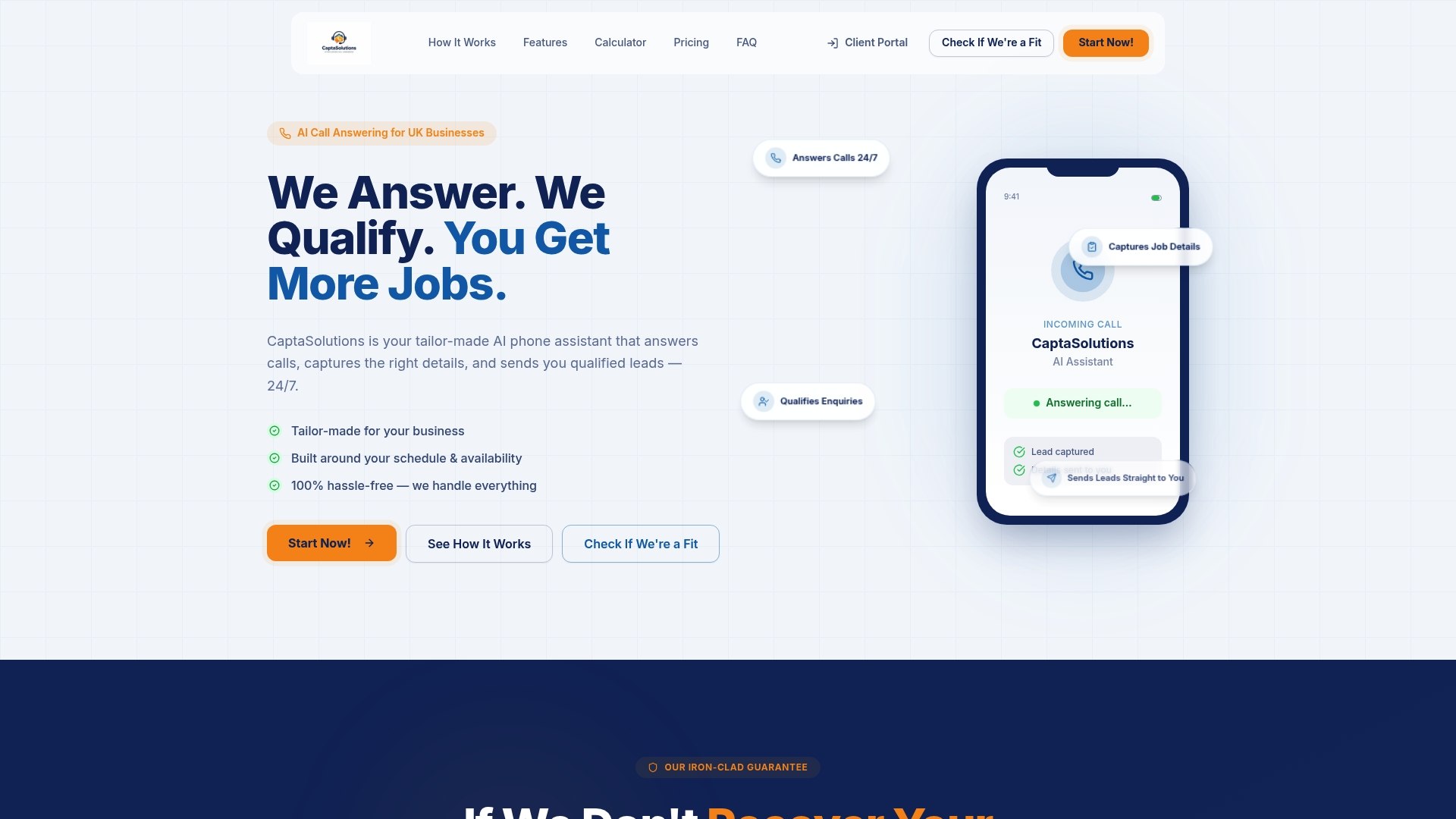
Setup takes hours, not weeks. You provide the business name, your hours, your escalation contacts, and your booking rules. Captasolutions configures the AI voice, maps your CRM fields, and goes live. In week one, you listen to real calls through the portal and request any wording adjustments — most take under ten minutes to apply.
There is no long-term contract and no card required for the free 30-day trial. Visit captasolutions.co.uk or call 07346 811329 to go live today.
Sources
For legal and technical detail beyond this article, consult the following:
- Octavius
- Qualify leads on a call in under 5 minutes | GradeMyClose
- Streamlining lead qualification: effective phone outreach strategies for 2025 - Intelemark
For complex GDPR questions specific to your business, consult a qualified data protection solicitor. This article provides general information, not legal advice — confirm your specific obligations with the ICO or a qualified professional.