

AI adoption is saving the average UK SME decision-maker 5.2 hours per week, yet many small business owners still feel overwhelmed. The role of AI in reducing UK staff overload is more complicated than most headlines suggest. Done well, AI frees your people from repetitive, draining tasks. Done poorly, it creates new pressures, fragmented tools, and heavier cognitive loads. This guide cuts through the noise to show you where AI genuinely helps, where it quietly makes things worse, and how to deploy it in a way that actually improves your team's day and your customers' experience.
Table of Contents
- How AI adoption is reshaping workloads in UK small businesses
- Why AI can both reduce and intensify staff overload
- How AI can effectively reduce overload in call handling and customer engagement
- Practical steps to redesign workflows and roles around AI
- Rethinking AI's promise: a balanced approach for small businesses
- How CaptaSolutions supports UK small businesses in managing staff overload
- Frequently asked questions
Key Takeaways
| Point | Details |
|---|---|
| AI adoption saves time | Many UK small businesses gain around 5 hours weekly per decision-maker by automating routine tasks with AI. |
| Uneven adoption | Not all small businesses use AI equally, with some regions and smaller firms lagging behind in implementation. |
| Workload creep risk | Without role and workflow redesign, AI can increase task volume and cognitive fatigue, worsening staff overload. |
| Focus on workflows | AI is most effective when automating entire, rule-based workflows like call handling rather than isolated tasks. |
| Redesign roles | Sustainable AI benefits come from deliberate job and process redesign to avoid burnout and maximise productivity. |
How AI adoption is reshaping workloads in UK small businesses
The numbers tell a story worth paying attention to. AI adoption rates surged from 53% in 2024 to 80% in 2025, increasing productive hours by around 5%. That sounds like a clear win. But alongside those gains, email volumes and time spent in chat tools also rose substantially for AI users. More output does not always mean less pressure on your team.
Adoption is also uneven. 19% of UK SMEs still do not use AI, with significant differences by region and company size. A sole trader in the East Midlands and a ten-person service business in London are having very different conversations about AI. The smallest businesses, which are often most stretched for staff time, are also the least likely to have implemented any AI-driven administrative solutions.
What the data shows about AI and workloads in UK SMEs:
| Factor | With AI adoption | Without AI adoption |
|---|---|---|
| Productive hours per week | Up ~5% | Baseline |
| Email volume | Significantly increased | Baseline |
| Chat/messaging time | Up to 145% increase | Baseline |
| Daily focused work time | Down ~23 minutes | Baseline |
| Hours saved per SME decision-maker | 5.2 hours/week | 0 |
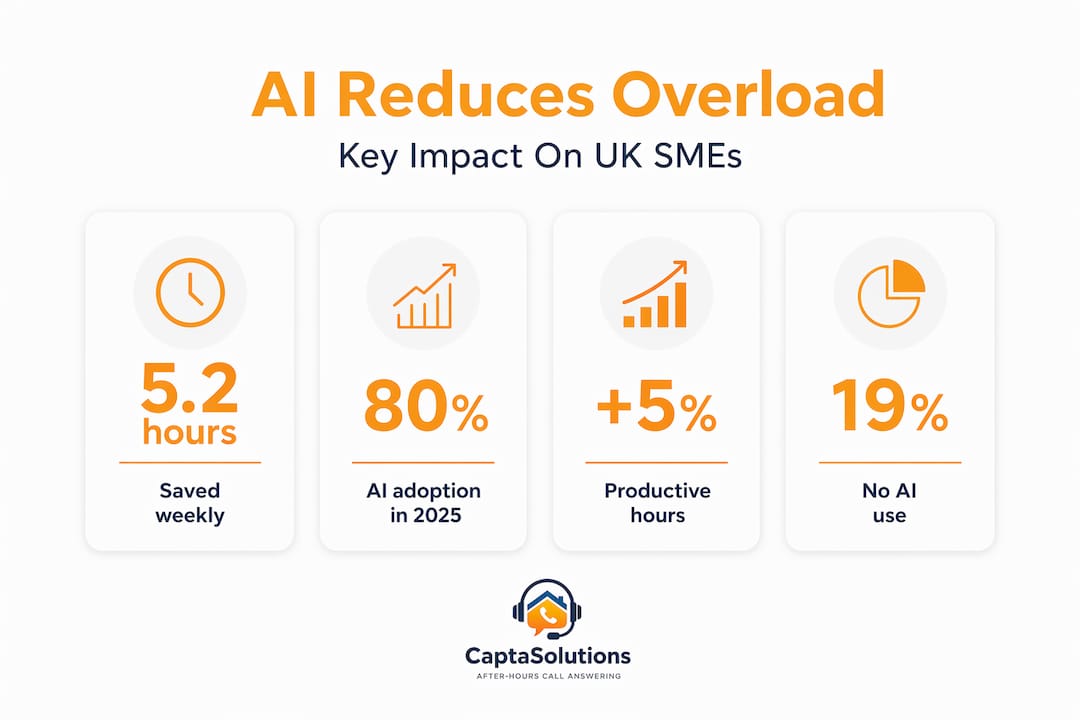
The core issue is that AI tools often create more activity, not less. Staff take on additional tasks because AI makes them possible, and communication demands grow as more tools enter the mix. Simply adding an AI product to your existing setup rarely reduces pressure on its own.
Signs that AI is adding to overload rather than reducing it:
- Staff are toggling between multiple platforms and losing focus
- Response times have improved but total daily workload has increased
- New tasks have appeared that did not exist before the AI tool was introduced
- There is no clear owner for AI-generated outputs or follow-up actions
Understanding this pattern is the first step to avoiding it. The AI impact on employee workload is real, but it runs in both directions unless you manage it carefully.
Why AI can both reduce and intensify staff overload
This is the paradox that catches small business owners off guard. Generative AI often expands task scope and accelerates work pace, which creates what researchers call workload creep. When AI makes more things possible faster, people simply do more things. The workload does not shrink. It shifts and often grows.
The communication data is particularly striking. AI users report a 104% increase in email and a 145% increase in time spent in chat tools, while daily focused work time falls by 23 minutes. For a small business owner or manager already stretched thin, those figures are not abstract. They translate into more interruptions, more context switching, and less time for the work that actually matters.
The main causes of AI-driven workload creep in small businesses:
- Taking on more client enquiries because AI appears to make capacity unlimited
- Adding AI tools without removing the manual steps they were meant to replace
- Generating more content, proposals, or reports than the business actually needs
- Managing disconnected AI outputs that require human review at every stage
"Workload creep is not a technology problem. It is an organisational design problem. AI surfaces capacity; leadership decides whether to use it or abuse it."
Reducing staff stress with AI requires more than picking the right tool. It requires rethinking who does what, and at what volume. If you are layering an AI chatbot on top of a phone system your receptionist still manages, you have not reduced anyone's burden. You have added a layer.
Pro Tip: Before adding any AI tool, map out the full task from start to finish. Identify every handoff point. If the AI handles one step but creates a manual step elsewhere, the net workload saving may be zero. Review a marketing automation checklist for SMBs to understand how full-workflow thinking applies across business functions.
The goal of reducing staff overload with AI is only achievable when leadership actively redesigns roles, not just adds software. That distinction matters more than the tool you choose.
How AI can effectively reduce overload in call handling and customer engagement
Here is where the picture gets more encouraging. AI agents are most effective in high-volume, rule-based workflows that span multiple systems and complete entire enquiries rather than simply deflecting them. Call handling is a near-perfect use case for this. It is repetitive, it follows predictable patterns, and every missed or mishandled call has a direct cost.

For trades businesses, salons, clinics, and hospitality venues, the phone is still the primary inbound channel. Your staff are on a job, with a client, or managing a full service when calls come in. Those calls do not wait. Burnout scores decrease by 15% when AI handles repetitive, mundane tasks intentionally. Call answering is one of the clearest examples of where that 15% becomes real.
Rule-based AI automation vs partial AI deflection: how they differ in practice:
| Approach | Workload impact | Customer experience | Staff pressure |
|---|---|---|---|
| Full AI workflow (end-to-end call handling) | Reduces staff task load significantly | Consistent, professional | Noticeably lower |
| Partial deflection (AI routes call, staff finish it) | Mixed, often creates handoff overhead | Can feel fragmented | Similar or higher |
| No AI, fully manual | Full staff burden | Dependent on availability | Highest |
Partial deflection is where many small businesses get stuck. The AI answers, then transfers. The staff member picks up mid-conversation without context. That is not automation. That is just a more complicated phone tree.
Steps to implement AI effectively in call handling:
- Identify which call types follow a predictable pattern (booking requests, service enquiries, pricing questions)
- Define what information needs to be captured for each call type
- Choose an AI solutions for call handling platform that completes the full interaction, not just the opening
- Set clear criteria for which calls require human follow-up and when
- Review captured data weekly to refine the AI's handling of edge cases
Pro Tip: Design your AI call handling to minimise handoffs entirely. Every transfer from AI to human introduces friction for the caller and additional work for your staff. The best implementations resolve the enquiry in one interaction. For further context on scalable automation with AI, broader frameworks apply equally well to call-handling workflows.
Practical steps to redesign workflows and roles around AI
Leaders must treat AI adoption as a structural change, not just a software investment. The businesses that see genuine workload reduction are not the ones that bought the most tools. They are the ones that changed how work is organised around those tools.
Successful job redesign includes explicit role definitions, workload boundaries, and protected non-work time to prevent AI-driven burnout. For a small business with two or three staff, this does not require a consultancy project. It requires a clear conversation and a few deliberate decisions.
Five key steps to redesign jobs and workflows for AI integration:
- Audit current tasks by type. Separate tasks that are repetitive and rule-based from those that require judgement and relationship. AI should absorb the first category entirely, not partially.
- Assign clear ownership. Every AI output needs a named human owner. If AI answers a call and logs the lead, one person is responsible for reviewing and acting on it. No ownership means no follow-through.
- Set workload limits, not just output goals. Decide in advance how many AI-generated leads, messages, or reports a team member can realistically act on per day. Capacity is finite even when AI is generating tasks faster.
- Separate AI-managed and manually managed workflows. Running them in parallel without clear boundaries is where workload creep begins. Keep them distinct until the AI workflow is fully proven.
- Build in reflection pauses. Weekly reviews of what the AI is producing, and whether it is genuinely reducing pressure, are essential. If the data shows no improvement in staff experience after four weeks, something needs to change.
Pro Tip: Protect your team's recovery time deliberately. If AI tools mean your business is reachable 24/7, make sure that does not mean your staff are too. Use workflow redesign with AI approaches that draw a clear line between AI availability and human availability.
Improving efficiency with AI is not about doing more. It is about doing the right things, at a sustainable pace, with less friction.
Rethinking AI's promise: a balanced approach for small businesses
The honest truth is that most small businesses adopt AI tools the way they buy new equipment: they expect the purchase to solve the problem. It rarely does, on its own. The tool matters far less than the workflow it sits inside.
Many business owners report that AI has made them busier, not less so. That experience is valid and well-documented. Strategic application and workflow redesign are what translate AI capacity into genuine relief, not the software itself. Buying an AI call answering service and then manually re-entering all the captured data into a separate system is not progress. It is a more expensive version of the same problem.
The businesses that benefit most from AI are those willing to question their existing processes, not just accelerate them. That takes a certain amount of organisational courage. It means telling a long-standing client that enquiries now go through an automated system. It means trusting that an AI can represent your business name on the phone without a human listening in. It means accepting that faster is not always the goal, and that a well-handled lead is worth more than three poorly followed-up ones.
Mitigating employee burnout with AI requires treating cognitive load as seriously as physical workload. A member of staff switching between five platforms, reviewing AI outputs, answering manual calls, and managing customer expectations is not less stressed because they have an AI assistant. They may be more stressed, because the pace has increased without the pressure reducing.
The most effective small business owners we observe approach AI with one question: "What does this remove from my team's plate entirely?" Not "what does this help us do faster?" Entirely. That distinction drives better decisions, better tool selection, and ultimately better outcomes for staff and customers alike.
Pro Tip: Schedule a quarterly review of every AI tool in your business. Ask two questions: has staff-reported stress decreased since implementation? Has customer satisfaction held or improved? If the answer to either is no, adjust before expanding.
Balanced AI adoption is not a compromise. It is the only approach that produces lasting results.
How CaptaSolutions supports UK small businesses in managing staff overload
If your team is missing calls because they are on a job, with a client, or simply stretched too thin, the solution is not to hire more staff. It is to ensure every call is answered professionally, every time, without adding to your team's burden.
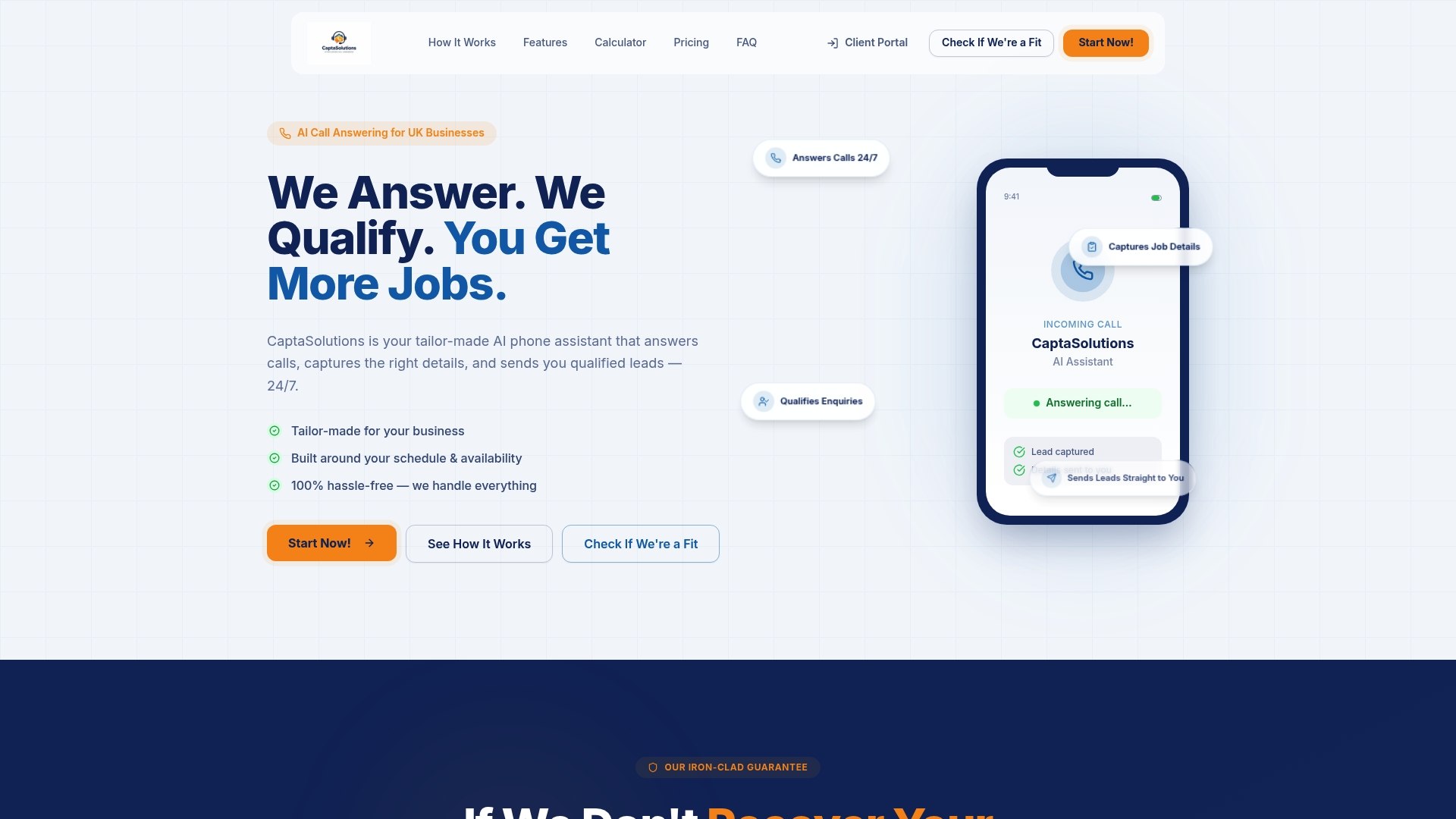
CaptaSolutions AI automation platform is built specifically for UK small businesses that cannot afford to miss an enquiry. The AI answers every call in your business name, 24 hours a day, 7 days a week. It captures caller details, qualifies the enquiry, and organises everything into your client portal. Your team reviews leads on their own schedule and decides what to take on. There are no complex integrations to manage, no fragmented handoffs, and no additional cognitive load for your staff. You are live within the hour, with a free 30-day trial and no contract required. Call 07346 811329 or visit captasolutions.co.uk to get started today.
Frequently asked questions
How does AI actually save time for UK small business staff?
AI automates repetitive, high-volume tasks such as call answering and data capture, freeing staff to focus on work that requires judgement and direct client contact. AI adoption saves the average UK SME decision-maker 5.2 hours per week by removing routine work from their day.
Why do some workers feel more overloaded despite using AI?
AI tools often increase task volume and require staff to manage multiple platforms simultaneously, which creates workload creep and cognitive fatigue. Unless roles and workflows are redesigned around the AI, task scope expands rather than contracts.
What tasks should small businesses automate with AI to reduce staff overload?
High-volume, rule-based tasks such as call handling, booking requests, and service onboarding benefit most from AI automation. AI agents complete entire enquiries most effectively when deployed on end-to-end workflows, not partial steps.
How can small business owners prevent AI from increasing staff burnout?
Deliberately redesign workflows so AI removes tasks entirely rather than creating handoffs, set clear workload limits, and protect staff recovery time. Burnout decreases measurably when AI is used with intention to eliminate repetitive tasks rather than simply accelerate them.